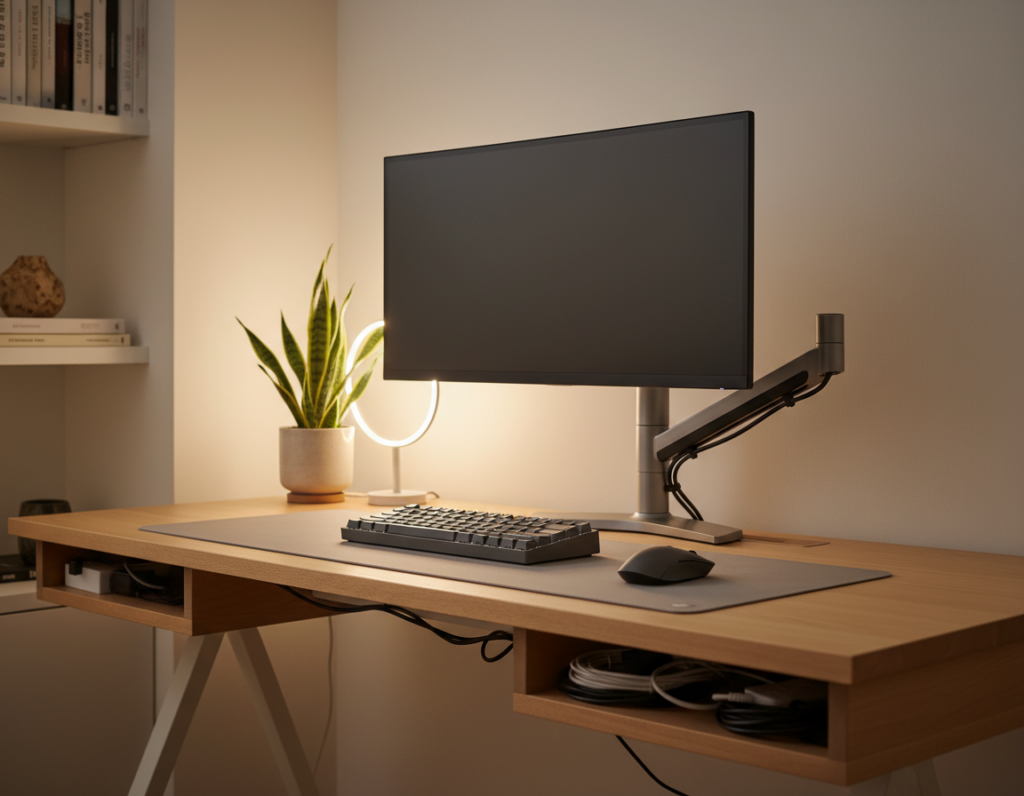
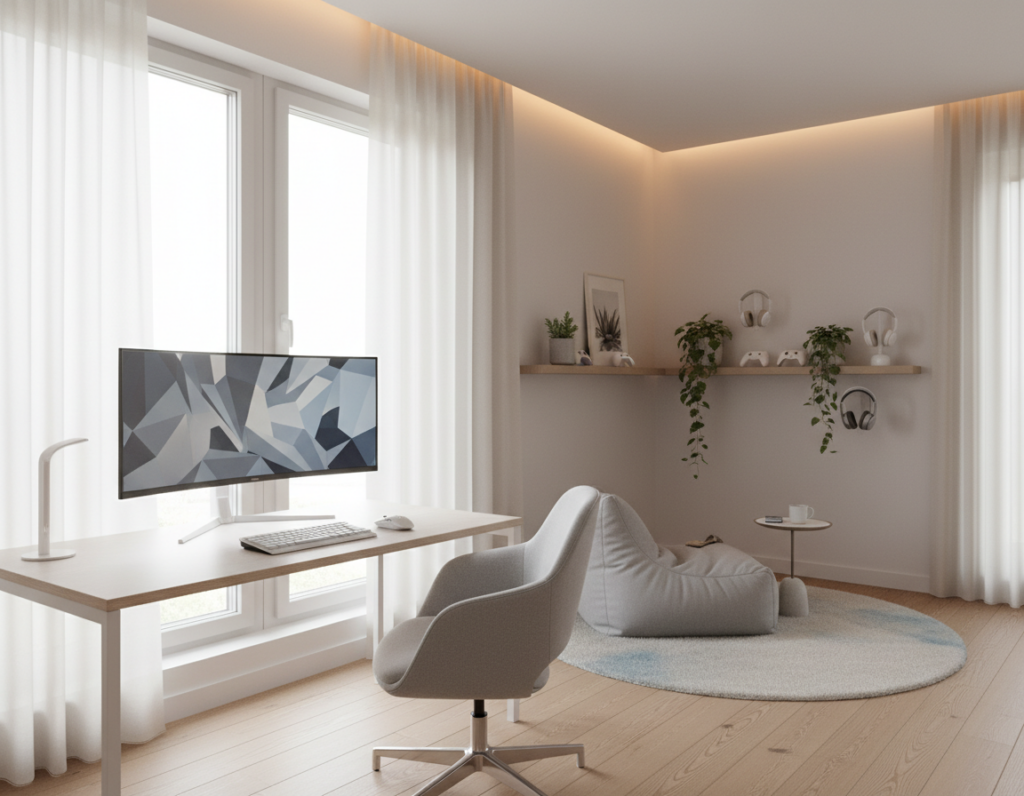
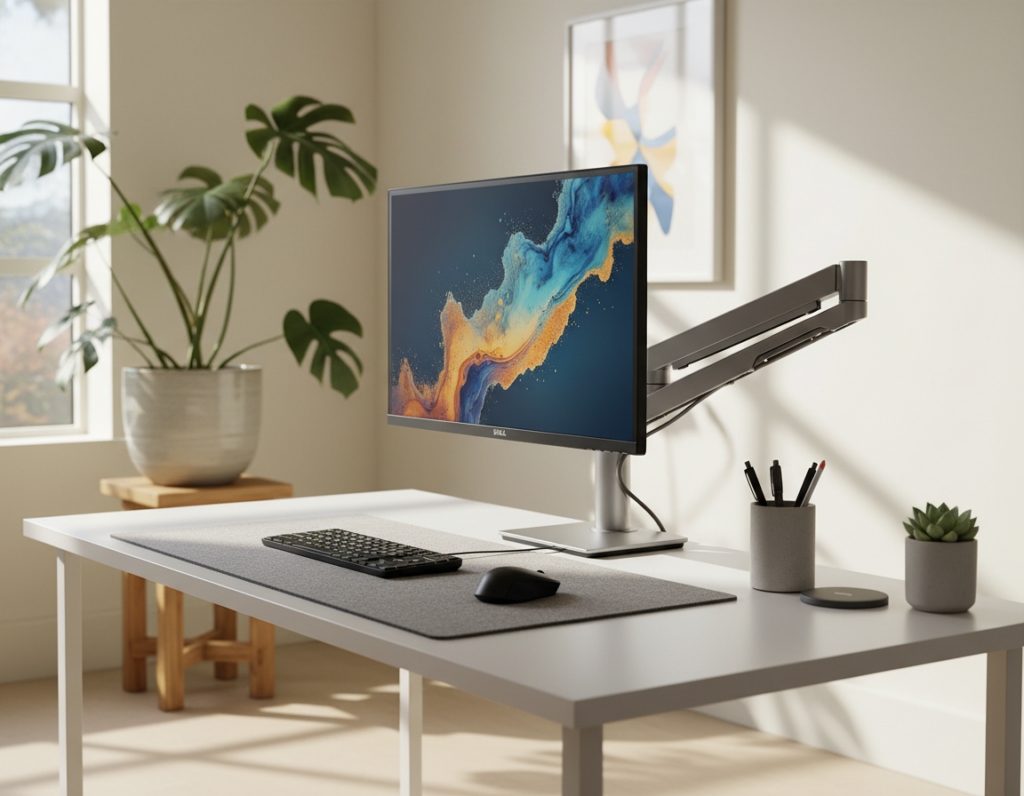
Clutter steals attention. A streamlined work area removes visual friction and helps players move from distraction to deep play. A clear surface, tidy storage, and smart cable management cut cognitive load and make long sessions easier on the mind.
Choosing the right gaming desk and a thoughtful minimal gaming desk setup turns a room into a focused place. Simple choices about the monitor, lighting, and peripherals shape both comfort and style. Small refinements, like proper storage and a standing desk option, keep the desktop ready for work or play.
These ideas stress function first. They guide the selection of keyboards, cases, and accessories so the overall design keeps the room calm. With the right plan, the space supports better focus, faster setup time, and a cleaner look that lasts.
The Philosophy of a Minimalist Gaming Space
When every item has purpose, the room stops competing with the game. This approach treats the play area as a functional place where the desktop supports quick reactions and calm focus. Fewer visual elements let the brain process less, which can sharpen response time in competitive play.
Design decisions favor essentials: a clear surface, a quality monitor, and a limited set of peripherals. Thoughtful storage and reliable cable management mean cords and cases stay out of sight. Choosing the right standing desk or case boosts comfort and keeps the aesthetic tidy.
It is not just about the look; it is a way to keep systems efficient over time. When accessories and keyboards have a home, setup time drops and the experience stays consistent.
- Purposeful placement: every item must earn its spot.
- Clean routing: cable management preserves the room’s style.
- Smart storage: reduces clutter and protects gear.
Essential Components for a Minimal Gaming Desk Setup
The right mix of display, input, and case choices turns a cluttered surface into a focused zone. This section lists the key components that balance productivity and play without adding visual clutter. Each pick supports comfort, speed, and a cohesive room aesthetic.
Monitor Selection
A 34-inch ultrawide monitor gives the field of view of two screens while keeping a single-stand profile. This reduces the number of monitor arms and frees surface space for a cleaner look.
Advantages: improved productivity, fewer bezels, and a tidy footprint. For those who want to showcase hardware, the HYTE PCIe 5.0 Hyper Riser allows a neat case presentation without crowding the top of the desk.
Peripheral Choices
Choose compact peripherals to reclaim space. A 60% keyboard makes room for wider mouse movement and a better aim during intense play. Pair it with a high-quality mouse for consistent tracking and comfort.
Keep lighting and cables subtle. Use RGB in moderation and prioritize proper cable management. Add storage and a standing desk option to support longer sessions and keep the surface functional for both work and game.
- Select one strong monitor rather than multiple small displays.
- Use modest RGB accents to enhance experience without creating clutter.
- Prioritize storage and accessories that hide cables and keep the style cohesive.
Selecting the Right Furniture for Your Workspace
Furniture choices shape comfort and focus more than paint or RGB ever can. A purposeful plan centers on ergonomics, reach, and storage so the room supports long sessions without strain.
Ergonomic chairs must offer lumbar support, adjustable armrests, and a stable base. These features protect posture and boost productivity during extended play or work.
Ergonomic Chair Considerations
Look for chairs with tilt locking and seat-depth adjustment. A breathable fabric or mesh keeps heat down and comfort up.
- FEZIBO standing desk models pair well with ergonomic chairs. They minimize bulky frames and prioritize comfort in modern room design.
- Integrated storage and cable management keep cables and accessories out of sight and reduce distraction.
- Choose clean cases and quality monitors that fit the look without overwhelming the space.
“Good furniture keeps peripherals within reach and lets the player focus on the experience.”
The company behind these designs, YOUNIVERSE INNOVATION INC, operates from 6145 Spring Mountain Rd, Suite 202, Las Vegas, NV 89146, with an international office at Room 1908-09, Lippo Centre Tower 1, 89 Queensway, Admiralty, Hong Kong.
Mastering Cable Management and Storage
Tidy lines and hidden channels turn a cluttered surface into an efficient command center. Clear routing and smart containers keep the room calm and the player focused.
Hidden Storage Techniques
Under-desk trays and wall-mounted pegboards move power strips and accessories out of sight. These solutions free surface space and protect gear from spills.
Use small bins for controllers, headsets, and spare cables. Wall hooks and slim shelves keep frequently used items reachable without crowding the top of the desk.
Routing Cables
Raceways and Velcro straps bundle wires along the underside of the gaming desk. Fabric cable sleeves form a neat vertical line behind monitors and cases.
- Under-desk trays and raceways hide power strips and reduce visible clutter.
- Velcro and sleeves simplify changes and make maintenance fast.
- Plan routes for a standing desk so cables never stretch or tangle.
“Mastering cable management is the most effective way to remove clutter and improve the overall experience.”
For step-by-step methods on advanced routing, see this guide on cable management.
Curating Hardware for Aesthetic Harmony
Hardware choices set the tone for how a room reads at a glance. Choose cases like the HYTE Y70 or X50 to anchor the visual language. These models offer modern lines and built-in cable management that keep the visible surface clean.
Small Form Factor (SFF) builds compress power into a compact footprint. They free space and make the monitor, accessories, and lighting feel intentionally placed.
- Match colors: coordinate mouse and keyboard hues to unify the area.
- Matte finishes: reduce glare and make components read as one system.
- Internal cable management: tidy interiors keep external cable routing minimal.
Subtle RGB adds depth without loud distractions. Pair quality peripherals with a standing desk to support long sessions and maintain a professional aesthetic. Every part—from monitor to cable—should contribute to a cohesive space.
“Designing with intent makes each element feel like it belongs.”
Implementing Subtle Lighting Solutions
Soft, purposeful illumination can transform how a work area feels without stealing attention. Good lighting makes the monitor easier to read and helps the eyes stay relaxed during long sessions. It also defines the space so hardware looks intentional rather than scattered.
Bias Lighting Benefits
HYTE’s Noodle lighting offers a flexible, ambient option that complements a focused gaming desk setup without being flashy. Placing bias lighting behind the monitor casts a gentle glow on the wall. That glow reduces eye strain and improves perceived contrast.
Choose static colors instead of bright RGB to keep a clean, professional look. Static tones create depth without cluttering the visual field. They also keep the cable runs and power needs simple.
- Enhances focus: subtle strips highlight the monitor and peripherals without distraction.
- Reduces eye strain: bias lighting softens harsh screen contrast during long sessions.
- Maintains style: static LEDs keep the gaming desk looking cohesive and calm.
- Uses natural light: blend ambient LEDs with daylight to create an open, airy space.
“Every lighting choice should be intentional, ensuring the space remains a place of focus rather than a source of distraction.”
Choosing a Cohesive Color Palette
A clear color direction turns scattered gear into a cohesive composition. Picking either an all-white scheme or a rich monochrome palette defines how a room reads at a glance.
All-white arrangements maximize visual openness and make lighting feel intentional. They suit a modern desk and emphasize clean lines.
Monochrome or all-black themes add depth and sophistication. Subtle contrast and restrained accents give the monitor and peripherals a deliberate place in the room.
- Consistent color for the monitor, peripherals, and desk ties the entire gaming setup together.
- Use RGB sparingly to complement the palette, not to overpower it.
- Match cable color to the desk or wall to make cable runs less visible.
- Stick to one color story so the gaming desk looks intentional instead of patched together.
“A well-planned palette makes every element feel like part of the same design.”
Enhancing Functionality with Minimalist Decor
Wall storage and curated accents make a workspace feel purposeful and neat. Floating shelves and pegboards display controllers and collectibles while keeping the desk surface clear.
Use the “One In, One Out” rule to prevent clutter. When a new item arrives, another leaves. This simple habit keeps the desk setup consistent and reduces impulse piles.
Choose decor that performs double duty. A framed print with hidden hooks, or a shelf with small bins, adds style and storage. These choices make the gaming setup feel intentional rather than chaotic.
Proper cable management and labeled bins reinforce clean lines. Route power under the table and keep cables bundled behind panels so the gaming desk reads as a cohesive workspace.
- Floating shelves free surface area and highlight favorite gear.
- Wall-mounted storage keeps essentials reachable without crowding the desk.
- Every item should earn its place to maintain focus and immersion.
“Decor that doubles as storage is the fastest path from clutter to clarity.”
Cleaning Up Your Digital Desktop
A tidy digital desktop complements a well-organized physical workspace and reduces visual noise. Removing icons and using a clean wallpaper makes the monitor feel like a piece of art that supports focus.
Simple habits boost productivity. Pin essential apps to the taskbar and remove clutter from the main screen. Tools like PowerToys Run let users launch programs with the keyboard so the mouse is used less and the desktop stays clear.
Keyboard shortcuts speed workflows and keep the display free from distracting tiles. A quick folder audit, consistent naming, and archived files stop digital piles from growing back.
- Remove unused icons and pin frequent apps to the taskbar for speed.
- Use PowerToys Run or system hotkeys to open software without visual shortcuts.
- Set a neutral wallpaper to keep the screen calm and professional.
- Organize documents into labeled folders to maintain a clean desktop.
“A clear desktop completes the transformation from a crowded room to a focused workspace.”
Every part of a modern desk setup, from the physical keyboard and mouse to the digital desktop, should be tuned for efficiency. This final step makes a gaming setup feel finished and professional.
Conclusion
strong, intentional choices make the difference. A focused play area starts with clear intent and small, consistent steps. Embracing a minimal approach helps the player find calm and better reactions during long sessions.
Prioritize essentials, master cable management, and add tidy storage to keep the surface clear. Whether choosing a standing desk or a compact case, each decision should support comfort and a cohesive look. This process makes any gaming setup feel more reliable and refined.
Begin by decluttering physical and digital spaces. A well-designed space is an investment in performance and comfort that pays off for years.