Transforming an empty area into a functional hub can change how someone uses their home. Many enthusiasts post their projects online, and the #gamingroom tag on TikTok has more than 121,000 mentions. This shows how popular personalized spaces have become.
The right layout helps maximize every inch of available space. A smart setup pairs a high-performance screen with neat storage and a striking display for collectibles. This keeps gear organized and ready for use.
Good lighting and subtle accents improve the overall look and make the area feel like a true extension of personal style. Whether someone seeks simple room ideas or full gaming room ideas, a clear plan makes the process easier.
In short: thoughtful design turns a forgotten niche into a standout feature. It boosts function, enhances ambiance, and reflects individual taste.
The Importance of Gaming Room Corner Decor
Smart use of an idle spot creates a dedicated place that supports longer, more immersive sessions. A well-designed gaming room corner decor plan boosts focus and cuts down distractions during extended play.
Investing in thoughtful room ideas turns wasted space into a functional hub. A proper gaming chair and smart layout protect posture and keep energy steady across long sessions.
- Function: Convert the area into storage, display, or a compact setup to improve the gaming experience.
- Comfort: Prioritize an ergonomic gaming chair to support back health and longer playtime.
- Personality: Select room decor that reflects taste and favorite video franchises to make the place feel personal.
- Focus: Organized game room elements reduce clutter and help players concentrate for epic gaming moments.
When a space is curated with intention, it makes gaming more professional and enjoyable for guests and hosts alike.
Assessing Your Available Corner Space
Start by mapping the physical limits of the space so every purchase fits and works as intended. A quick assessment saves time and avoids returns.
Measuring dimensions
Measure wall length, depth, and ceiling height in feet or inches. Note baseboards, vents, and door swing so a desk fits without blocking traffic.
Decide if a compact desk or a larger workstation suits the place. If a freestanding gaming desk is planned, leave extra clearance for a chair and cable runs.
Identifying power outlets
Map outlet locations and label what each powers. This determines where a console and monitor can sit without long extension cords.
Pro tip: count outlets and check amperage for high-performance gear. A well-planned layout keeps equipment tidy and safer to use.
- Measure first: avoid oversized furniture.
- Map outlets: plan device placement and routing.
- Plan clearance: allow room for ventilation and access.
Maximizing Verticality with Floating Shelves
Floating shelves transform bare walls into practical display zones that free up floor area. They provide a clean, elevated surface for collectibles and peripherals while keeping the primary desk uncluttered.
Choosing shelf materials
When picking materials, consider durability and style. Wood adds warmth and pairs well with vintage consoles.
Metal offers a sleek, industrial look and can support heavier items. Acrylic delivers a modern, minimalist feel and keeps focus on the display.
“Vertical storage is the fastest way to make a small space feel orderly and intentional.”
Key benefits:
- Maximizes vertical space so the floor stays clear.
- Creates a dedicated display that draws the eye upward.
- Keeps the desk surface free for play or streaming setups.
Pro tip: stagger shelf heights to accommodate tall figures and console boxes. Many popular gaming room ideas rely on these wall-mounted options to balance function and style.
Integrating RGB Lighting for Immersive Vibes
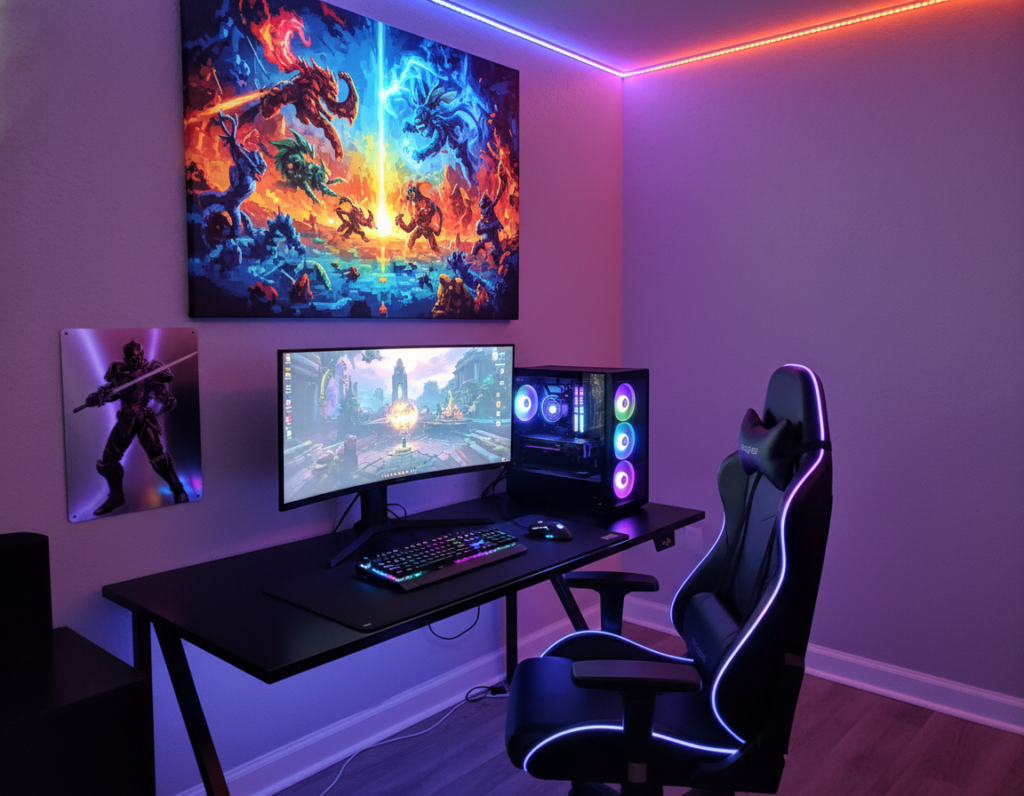
RGB lighting instantly shifts an ordinary area into a cinematic backdrop that reacts to play. Properly chosen colors and controlled intensity set the mood and help create a cohesive look across shelves, displays, and hardware.
LED strip placement
Place LED strips behind the monitor, under shelves, and along the base of the wall to add depth without clutter. Backlighting reduces eye strain and highlights key display pieces.
Smart lighting synchronization
Use a smart hub to sync lights with gameplay and audio. This makes the room react to on-screen events and enhances the overall gaming experience.
“Smart lighting systems let colors change with the action or dim for late-night sessions.”
Color palette selection
Pick a cohesive palette—cool blues for focus, warm ambers for comfort, or neon accents for high energy. Consistent tones tie the setup together and give gaming room areas a professional, unified feel.
Quick tips:
- Match strip locations to focal points like the display or desk.
- Set profiles for different game genres to vary intensity.
- Use neon accents sparingly to avoid overwhelming the space.
Utilizing Modular Storage Units
Modular shelving turns cluttered collections into neat, accessible displays that scale with your gear. IKEA KALLAX units offer a clean, modular solution that fits most setups and adapts as the collection grows.
Key benefits include customizable compartments and hidden bins that keep cables and controllers out of sight. This approach gives a professional look while protecting valuable consoles and accessories.
For small spaces, stacking units vertically saves floor area and creates a clear display line for consoles and boxed items. Many gaming room ideas favor hidden storage to cut visual clutter and improve focus during sessions.
“Modular systems keep the shelf tidy and the focus on the setup.”
Simple additions—labeled bins, pull-out drawers, and a mix of open and closed cubes—make it easy to access essential gaming gear. This way, the area stays tidy and ready for use, whether displaying favorites or storing extras.
- Versatile display and concealed storage
- Stackable for small room solutions
- Adapts as consoles and collections expand
Showcasing Collectibles in Dedicated Displays
A dedicated display instantly upgrades a collection from clutter to a curated focal point. Clear cases protect prized figures from dust while letting them be admired. These units keep items safe and visible at the same time.
Protecting figures from dust
Choose clear acrylic or glass cases to guard rare pieces from airborne dust and accidental contact. A sealed case slows grime buildup and reduces cleaning frequency.
- Wall-mounted displays create a gallery effect and free floor space.
- Use UV-filtering panels for sun-exposed walls to prevent fading.
- Arrange items by set or franchise to tell a visual story about favorite games.
“Display cases preserve condition and value while turning collections into a professional showcase.”
A tidy, well-lit display adds personality to the game room and highlights prized possessions. Every serious collector knows the right setup sustains value and presentation for years to come.
Creating a Themed Nook for Your Favorite Games
Designing a dedicated scene makes a small area feel like an extension of the game world. It gives a clear purpose to a tight space and raises the visual impact of a gaming room.
Start with a palette and a focal piece. Use posters, framed art, or a signature shelf to anchor the theme. Low, controlled lighting and a matched color scheme pull the wall and furnishings into one cohesive look.
Blend elements thoughtfully. Many gamers mix sci-fi accents with vintage pieces to create a layered, personal display that tells a story about their favorite video titles.
Keep function in mind. Arrange the setup so controllers, headsets, and collectibles are easy to reach and neatly stored. This makes the space cozy and focused for play.
“A well-curated nook showcases passion and makes every session feel intentional.”
- Choose a theme and stick to two dominant colors.
- Use modular shelves for a tidy display system.
- Add soft lighting to enhance atmosphere and comfort.
Adding Comfort with Ergonomic Furniture
A thoughtful chair and desk combo makes extended sessions far more comfortable and sustainable. Prioritizing ergonomics supports posture, reduces strain, and improves focus for any setup in the home.
Selecting the right chair
Choose a chair with adjustable lumbar support, a height-adjustable headrest, and armrests that move. These features help keep the spine aligned during long gaming sessions.
Look for breathable materials and a solid base with caster wheels for mobility. Many professional players rely on high-quality gaming chair models because comfort affects performance.
Desk height considerations
Set the desk height so forearms are parallel to the floor and wrists stay neutral while using a mouse and keyboard. This reduces fatigue and lowers the risk of repetitive strain.
- Match chair and desk: ensure both work together for ergonomic posture.
- Use a footrest: if feet do not sit flat on the floor.
- Invest in a sturdy desk: it provides a reliable foundation for monitors and peripherals.
“A solid chair and the correct desk height form the backbone of a comfortable and productive room.”
Incorporating Greenery for a Zen Atmosphere
A few well-placed plants can instantly soften harsh tech and make the space feel lived-in.
Plants reduce stress and bring a calm focus that balances high-energy gaming sessions. Real plants add oxygen and subtle scent, while realistic LEGO or faux plants give the same visual comfort with no upkeep.
Place greenery near displays to frame shelves and screens. This creates a pleasing contrast between hardware and life. It also makes the area feel less sterile and more inviting.
- Low-maintenance picks: snake plant, pothos, or ZZ for low light.
- Faux alternatives: high-quality replicas for dim or busy setups.
- Mix textures: small potted plants + a trailing vine to soften lines.
“A touch of nature turns any tech-heavy area into a peaceful retreat.”
These room ideas help players unwind after long sessions. By blending plants with existing decor, the gaming room becomes a balanced, restful sanctuary that still supports favorite games and displays.
Installing Geometric Wall Panels
Textured 3D panels provide visual depth and help tame echoes for a clearer soundstage. Geometric wall panels convert a plain surface into a designer backdrop that suits a modern gaming setup.
They frame the display and complement a quality chair, giving the whole space a polished look. By choosing bold colors or metallic finishes, they match personal style and improve acoustics at the same time.
- Easy install: many panels mount with adhesive or simple screws for a quick upgrade.
- Acoustic gain: the 3D texture breaks up reflections and reduces echo.
- Design focal point: panels create a striking backdrop that draws attention to the setup.
For a ready-made selection and installation tips, see a specialist guide on gaming wall panels. Visit geometric wall panels for options and advice.
“A well-chosen wall treatment elevates both the look and the listening experience.”
Using Neon Signs to Define Your Style
A bold neon sign can turn an ordinary wall into a signature piece that anchors the whole setup.
Modern custom neon uses high-efficiency LED neon flex. It is energy-efficient and lasts about 100,000 hours, so it pays off over time.
Customizing your gamertag
They can convert a gamertag or logo into a bespoke lighted sign. That gives a space clear personality and a pro look for streams.
- Neon signs highlight a display or shelving and create a visual focal point.
- Pick color and font to match existing wall tones and the overall look.
- Signs are durable, low-power, and easy to mount behind a chair or above gear.
- Streamers use neon to give gaming rooms a camera-friendly backdrop that stands out.
Every game room deserves a signature piece. A custom neon sign is a compact, stylish way to make that happen while adding ambient light for late sessions.
Implementing Soundproofing Solutions
Proper acoustic treatment can transform an ordinary setup into a pro-level listening space. Acoustic panels and heavy curtains cut reflections and seal gaps so sound stays contained. This helps maintain peace in the rest of the house during late-night sessions.
Install foam or fabric-wrapped acoustic panels on primary reflection points to reduce echoes. Add a thick curtain over windows and a carpet or rug to dampen floor bounce. These moves also improve in-headset clarity for competitive play.
A quiet environment lets players focus on strategy and timing, which can raise scores and reduce mistakes.
Tips for a balanced approach:
- Place panels behind and beside the monitor to tame early reflections.
- Layer curtains for both light control and sound absorption near glass.
- Use bookshelves or soft furnishings to break up flat surfaces and absorb ambient noise.
Well-applied soundproofing makes a gaming room feel like a private sanctuary. It protects housemates from late-night console noise and delivers a clearer gaming experience for every session.
Designing a Multi-Use Work and Play Station
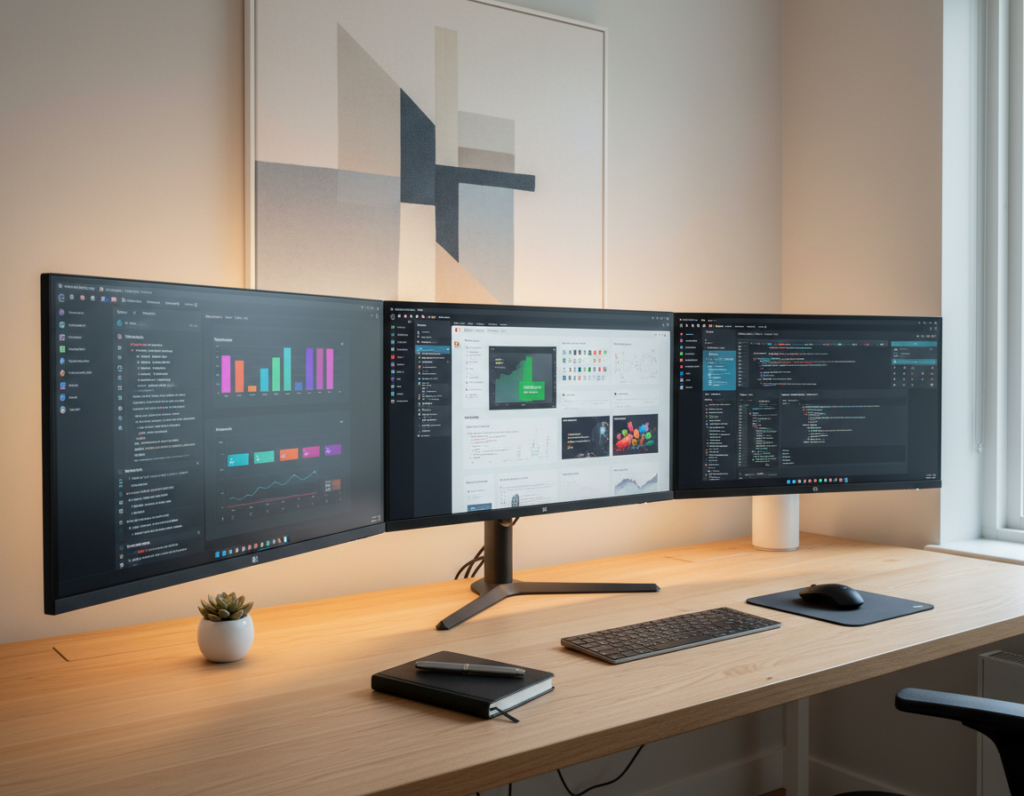
Blending work and play starts with a flexible layout that supports focus by day and immersion by night. Choose a versatile desk that fits the available space and holds both a laptop and a screen. Pick an adjustable desk height when possible to switch postures quickly.
Pair the desk with an ergonomic chair that moves easily between long work calls and epic gaming sessions. Keep one dedicated tray for office supplies and another for gaming gear so tools never mix.
Lighting makes the difference: task lights for productivity and subtle neon accents to set mood for evening games. Neon can give the space a professional daytime look and an immersive feel after dark.
- Desk options: dual-surface or compact L-shaped desks save space and give display room.
- Separation: clear zones for work and play keep focus and speed transitions.
- Flexibility: modular storage and cable management adapt as needs change.
Invest in quality furniture and plan screen placement to reduce glare and neck strain. With the right choices, a single area can deliver a productive office vibe and a standout game room experience without compromise.
Leveraging Under-Stair Nooks
Under-stair nooks can be converted into compact, private stations that make smart use of otherwise wasted floor space. A shallow desk and a mounted screen fit neatly beneath the steps to create an efficient setup.
Install custom lighting—LED strips or a small neon accent—to brighten the area and set mood. Good lighting makes the place feel intentional and inviting without overwhelming the space.
Use vertical storage to maximize the height of the niche. Slim shelves and pegboards keep controllers, headsets, and collectibles organized and visible for a clean display.
- Creates a private, focused space for play and streaming.
- Saves square footage in small homes where every inch counts.
- Provides a memorable focal point that elevates overall room ideas.
“With careful planning, an under-stair nook becomes the most used and admired place in the house.”
Once a comfy seat, tidy cable runs, and proper ventilation are in place, the converted nook offers a surprising boost to the gaming experience and the home’s layout.
Personalizing with Custom Artwork
Custom artwork turns an ordinary wall into a personal statement that ties every element together. It anchors the space and gives the area a clear visual focus.
Choose murals, posters, or framed prints to define a style and show personality. Many collectors pick pieces that celebrate favorite franchises to create a meaningful display that feels intentional.
Make it stand out:
- Mix neon accents with frames to add glow and depth.
- Use varied sizes to form a gallery wall that guides the eye.
- Pick archival prints or UV-protective frames for long-term care.
Selecting and hanging art is part of the process. Measure the wall, plan heights, and balance pieces around shelving or a desk so the whole area reads as one curated scene. Custom artwork is the finishing touch that makes the gaming room truly feel like a personal refuge.
Conclusion
, A final plan ties together lighting, furniture, and storage so the space feels intentional and useful.
Creating a personalized gaming room is a rewarding project that transforms an empty nook into a functional, immersive area. By prioritizing ergonomic furniture, smart lighting, and a clear display strategy, anyone can lift a setup to a professional level.
Design choices should reflect individual taste and play style. Whether working with a small space or a large room, careful planning and simple organization make the process smoother.
Take these tips as a starting point. With thoughtful steps, the reader can begin building the gaming room of their dreams today.