Designing a high-end gaming setup blends clear function with refined style. Today’s builders want a clean desk, smart storage, and quality screen gear that support work and play. TikTok shows this trend: over 121,000 posts tag #gamingroom as creators share ideas and inspiration.
Start by choosing a monitor and keyboard that match the decor and deliver a top screen experience. Then add subtle lighting, a sleek case, and targeted accessories to enhance feel without crowding the space.
Good storage keeps cables hidden and the surface clear. That boosts function and gives the room a professional look. Whether in small rooms or larger areas, the goal is balance: keep it lightweight, but invest in quality pieces that express personality and improve performance.
Defining the Simple Minimalist Gaming Room Aesthetic
Begin with a layout that prioritizes sightlines, ergonomics, and uncluttered surfaces. This approach sets the tone for a modern setup where every item earns its place.
The goal is a calm, organized space that improves focus and comfort for the gamer. Neutral tones and selective decor make the area feel open and intentional.
There are 25 distinct ideas for organizing the space, but they share common rules. Choose furniture with clean lines, hide cables, and limit display items to favorites that add meaning.
- Prioritize functional furniture to keep the surface clear.
- Use layout to make a small room feel larger and more inviting.
- Pick decor that reflects personal style without distraction.
When defining the aesthetic, consider how the design affects long sessions. A streamlined setup looks high-end and supports better focus during play.
Selecting Essential Hardware for a Clean Profile
Choose hardware that reduces visual clutter and highlights key components on the desk. This step helps the setup feel curated and professional without extra gadgets crowding the space.
Monitor Selection
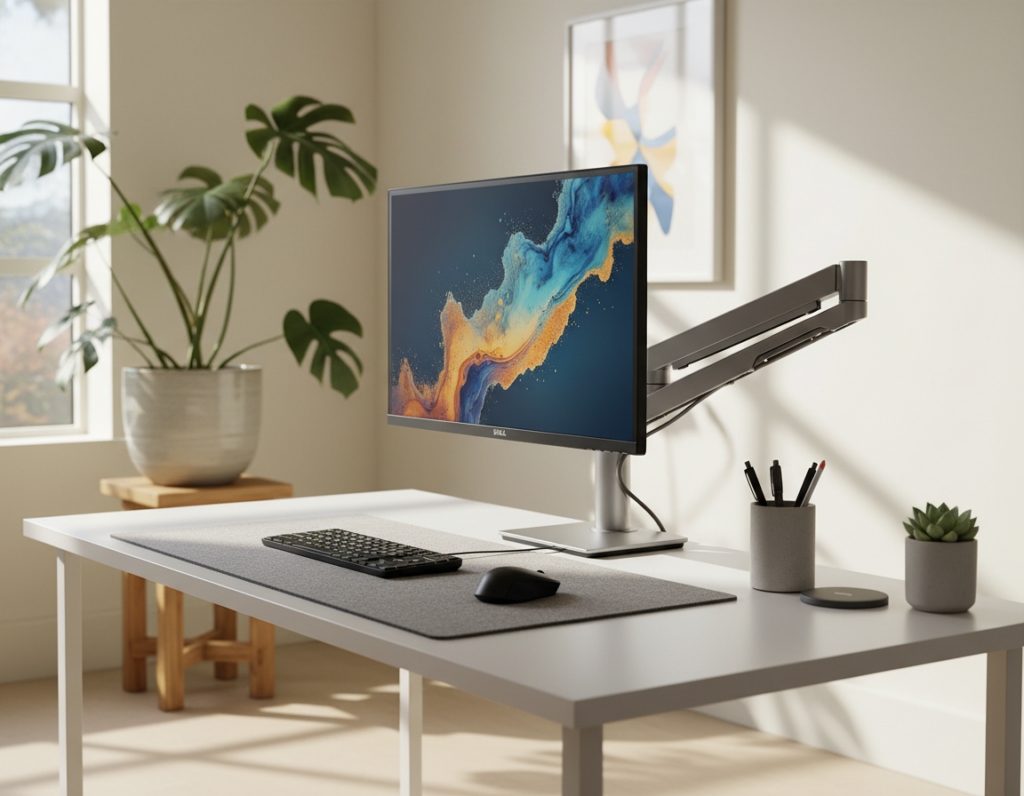
Pick a screen with slim bezels and a simple stand. Narrow edges keep multiple monitors neat and preserve sightlines.
Neutral tones for the stand and frame make the monitor blend with other pieces rather than dominate the room.
PC Case Aesthetics
The HYTE Y70 acts as a centerpiece, with a panoramic view that elevates hardware without excess flair.
For tighter spaces, the X50 offers a compact, bold option that frees desk area while keeping a strong look.
Peripheral Choices
Choose a keyboard and chair that match the room’s tone and avoid bulky designs. High-quality pieces improve comfort and keep the desk uncluttered.
- Limit accessories and extra gadgets to what adds real value.
- Focus on cohesive lighting and muted finishes to unify the setup.
- Consider monitors and cases as focal pieces, then select peripherals around them.
Mastering Cable Management and Hidden Storage
A strategic plan for cables and hidden storage makes any setup feel polished and spacious. Good routing preserves sightlines and frees the floor for mobility.
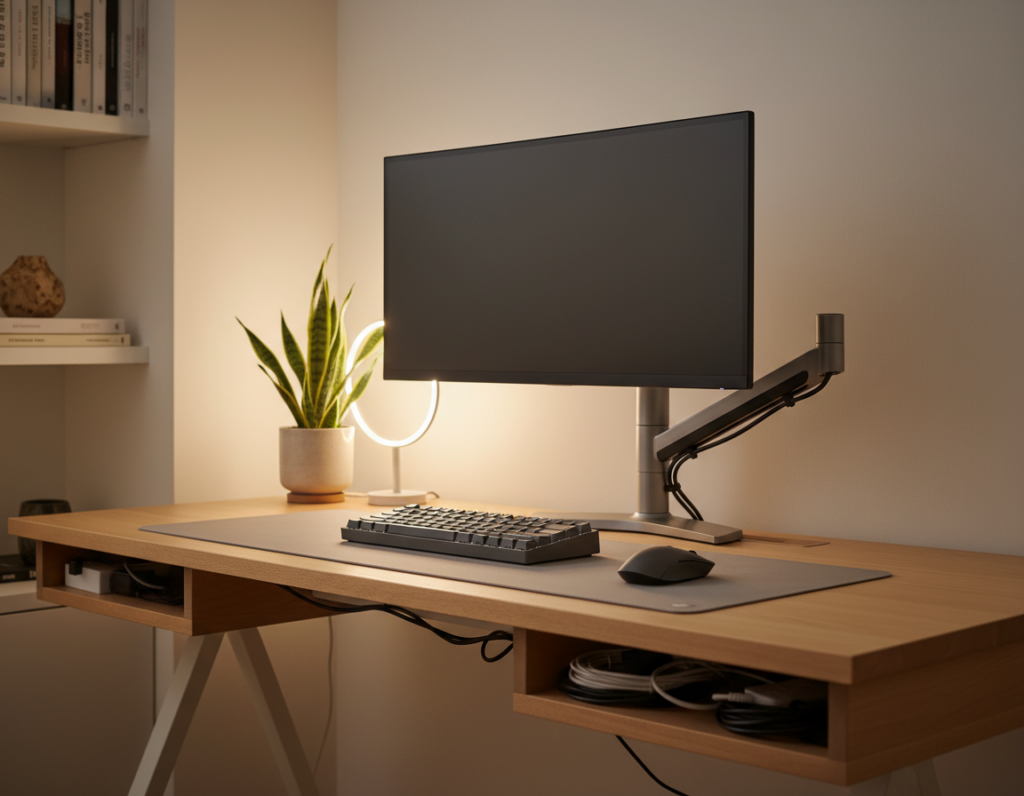
Start with under-desk trays or raceways to route power and data lines under the desk. Mount raceways along the wall or beneath desks to keep cables off the floor and out of sight.
Use small drawers and under-desk trays to stash accessories and spare items. Floating shelves on the wall add storage without stealing floor space and help display one or two favorite pieces near the case.
- Label and group cables: use Velcro straps or cable sleeves to bundle lines by function.
- Assign homes: keep adapters and controllers in drawers so the desk stays clear for daily tasks.
- Plan power: position a power strip in a tray to shorten visible runs and protect plugs.
Proper cable management prevents a messy setup and helps the user focus. With a few hidden solutions, the space stays tidy and every item has a place.
Strategic Lighting for an Immersive Atmosphere
Lighting sets the tone of a space and can instantly change how a setup feels. A layered plan combines ambient washes, task lights, and accent LEDs to craft a focused atmosphere for play or work.
Ambient Lighting Techniques
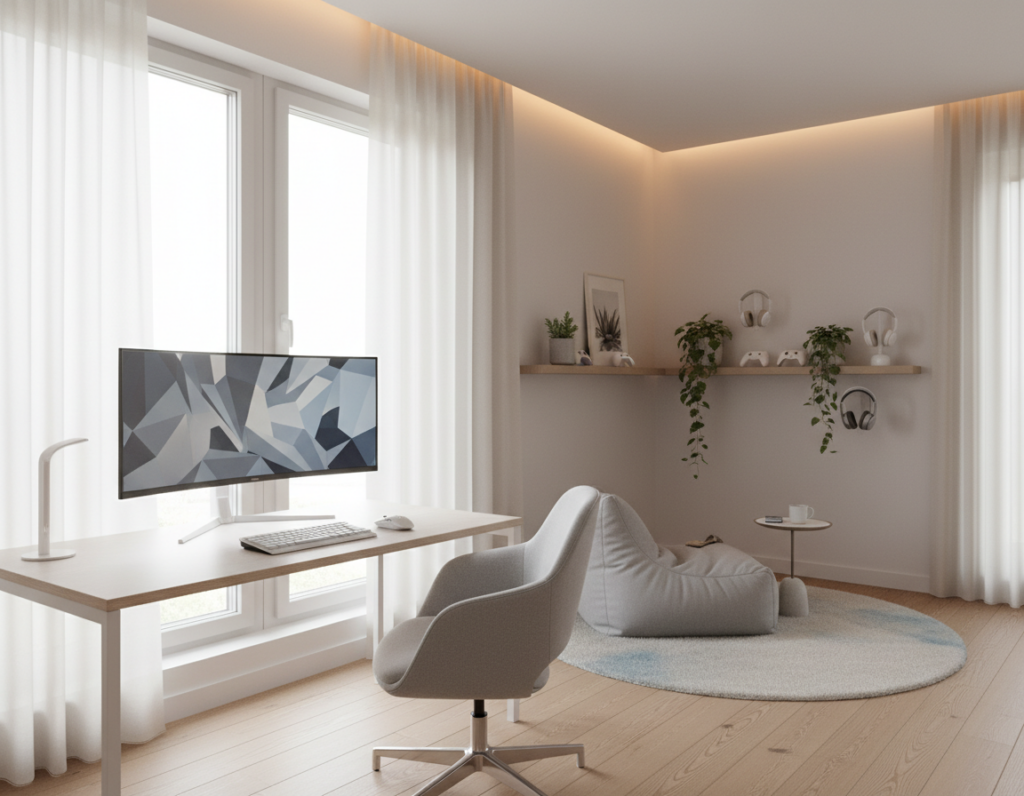
Soft LED strips placed behind the monitor or along walls add depth without glare. HYTE’s Noodle lighting offers flexible, ambient illumination that enhances the gaming room without overwhelming the space with bright, flashy colors.
Use subtle RGB lighting to introduce a futuristic edge while keeping decor restrained. Place LED strips under shelves, behind the desk, or along wall edges to make the space feel cozy and inviting for long sessions.
“Smart color control lets the user shift mood on demand, from intense play to calm focus.”
- Highlight key areas of the setup without bright distractions.
- Wall-mounted fixtures save floor space and keep the look modern.
- Incorporate smart bulbs or strips to tune color and intensity for different tasks.
With careful placement, lighting defines mood and function. The right approach makes the room versatile, comfortable, and visually cohesive.
Choosing a Cohesive Color Palette
A coherent palette turns mismatched items into a unified, high-end setup. Color ties furniture, decor, and lighting so each piece feels like part of a whole.
All-white schemes offer a crisp, modern look, while monochrome or all-black themes create a timeless, sophisticated aesthetic. Neutral greys and whites make the space feel larger and calmer for long sessions.
They should match the PC case and peripherals to keep the setup consistent. Small pops of color from LED strips or a single decor item add personality without clutter.
Plan ahead: select two main tones and one accent. This dual-tone approach—black-and-white or grey-and-white—preserves contrast and cohesion.
- Keep furniture and large pieces neutral.
- Use LEDs and art for controlled accents.
- Make the case and peripherals complement the main palette.
“A focused color scheme makes the setup look intentional and high-end.”
For curated ideas, try the curated palettes tool at minimalist palette options to test combinations before buying.
Optimizing Small Spaces for Maximum Comfort
Smart layouts make compact areas feel open and functional. By stacking storage and choosing convertible furniture, one can keep floor space clear and maintain clean lines across the setup.
Vertical Storage Solutions
Wall-mounted shelves and tall units free the floor and show off favorite items. IKEA KALLAX units work well here; they store controllers, games, and accessories while keeping the area tidy.
Mounting a monitor on the wall saves desk area and gives the setup a streamlined, professional look. Hooks and narrow shelves hold headsets and keyboards so surfaces stay clear.
Multi-functional Furniture
Desks with built-in drawers and foldable options let the space adapt between work and play. A chair that folds or tucks away gives more room when not in use.
- Dual-purpose pieces: choose desks with storage to reduce extra cabinets.
- Foldable options: use chairs or desks that collapse to reclaim floor space.
- Hidden drawers: stash cables and small items to preserve clean lines.
“Vertical storage and multi-use furniture transform tight rooms into comfortable, efficient setups.”
Incorporating Personal Touches Without Clutter
A handful of curated items can give a space character while keeping surfaces clear.
Choose quality over quantity. Pick two or three standout pieces—framed game art, a distinctive case, or a statement keyboard—to act as focal points. This keeps the setup intentional and prevents visual noise.
Use the wall to display favorites. Floating shelves save desk area and let collectibles sit above sightlines. LED strips can highlight a shelf display without taking up extra floor or surface space.
“Limit items to what truly reflects personality; this keeps the space calm and focused.”
- Display sparingly: three to five meaningful items on shelves looks curated and clean.
- Anchor with art: posters or framed prints add color and style without cluttering the desk.
- Highlight with LED: subtle LEDs draw attention to collectibles and storage areas.
For more decor ideas and suggestions on arranging pieces, see curated gaming room decor. Small, deliberate choices let personality show while the space stays organized and high-end.
Ergonomic Considerations for Long Sessions
Proper ergonomics turn an attractive setup into a healthy, lasting workspace. Investing in the right chair and arranging screens and input devices reduces fatigue and keeps posture steady during long sessions.
Choosing the Right Chair
Pick a chair with adjustable lumbar support, seat height, and armrests. A compact, ergonomic chair can save space while giving the back the support it needs for hours of play or work.
When positioning the desk, ensure monitors sit at eye level and the keyboard allows elbows to rest at a 90-degree angle. This prevents strain on the neck and wrists and keeps focus steady.
Keep cables routed behind desks and in trays so floor space stays clear. That protects movement and reduces trip hazards when someone shifts the chair.
- Use wall-mounted shelves or drawers to store accessories within reach and preserve the desk surface.
- Choose desks that match seated reach so monitors and keyboard align naturally.
- Test chair fit: it should support the lumbar curve and allow feet to rest flat on the floor.
“A well-designed setup makes the room both stylish and a healthy place to spend time.”
Conclusion
Final thoughts: the key to a minimalist gaming approach is balancing functionality with style. Build a gaming setup around essential pieces and routes for cables, so the space feels intentional and ready for long sessions. a strong.
Focus on essential accessories, smart storage, and low-profile shelves or wall mounts. Thoughtful lighting—from RGB lighting to subtle task lamps—adds mood without clutter.
Choose a quality monitor and chair to improve comfort and performance. Let small decor add a personal touch so the setup reflects personality and inspires the gamer. These ideas help ensure functionality and lasting inspiration as the setup evolves.