2025 trends) show that thoughtful design can turn a compact space into a true sanctuary for gamers. By choosing the right furniture, desk and storage, a bedroom can host an efficient gaming setup that supports long gaming sessions without clutter.
Smart lighting, wall-mounted shelves, and neat cable solutions let a gamer keep consoles and accessories off the floor. These room ideas use vertical storage and neon accents to shape atmosphere and boost the gaming experience.
Whether casual or pro, one can maximize floor space and style with compact chairs, smart decor, and a clear plan. The result is a cohesive look that balances comfort and function for every game and every session at home.
Assessing Your Available Gaming Space
Start by mapping every inch of available floor and wall area to avoid surprises when buying furniture. Understanding the exact dimensions helps decide whether a wall-mounted setup or a corner-focused layout fits best.
Measure doorways, clear walkways, and the width of any nook where a desk or console could sit. Gamers on TikTok show over 121,000 uses of #gamingroom, proving others maximize limited floor space with clever placement.
- Identify corners or alcoves that can house consoles and game storage.
- Keep the center of the area open to improve movement and comfort.
- Check wall height for shelving and vertical solutions that save floor space.
Zoning helps separate sleeping, working, and playing so the home feels balanced. Measuring first and planning zones prevents clutter and creates a functional gaming room that supports longer play sessions without blocking daily traffic.
Designing a Small Minimalist Gaming Room
Intentional design turns a tight footprint into a calm, functional play area. Start with a clear purpose: decide if the space will host console play or a PC workflow. That choice guides desk and monitor needs and keeps upgrades from becoming costly.
Defining Your Gaming Focus
If the primary use is console, prioritize storage for controllers and discs. For PC play, plan for a proper desk depth and cable routing. Picking one main focus helps limit excess gear and creates a clean aesthetic.
Measuring Dimensions
Measure wall length, floor area, and door clearances before shopping. Even a few inches affect what desk fits and where a chair will move.
- Choose a desk that matches the room’s proportions and holds the monitor comfortably.
- Use neutral tones to expand the perceived space and keep distraction low.
- Keep only gear that serves a purpose to maintain a streamlined gaming setup.
Selecting Compact Furniture for Tight Quarters
Choosing the right-sized furniture keeps a tight setup feeling open and functional. In tight spaces, oversized pieces make the area hard to navigate and reduce usable floor space.
Invest in essentials first: a durable desk that fits the wall or corner, and a supportive chair with lumbar features. A high-quality chair improves posture and reduces fatigue during long sessions.
“A folding desk or nesting table gives a multipurpose room fast flexibility without permanent changes.”
Hidden storage is a must. Drawers or under-desk compartments keep controllers, cables, and accessories out of sight. Planning the layout in advance ensures every item has a designated spot and preserves walking space.
- Pick a desk that serves as the setup centerpiece and matches the room dimensions.
- Choose furniture with built-in storage to reduce clutter and speed cleanup time.
- Consider foldaway or modular pieces to convert shared rooms into dedicated gaming areas as needed.
Maximizing Vertical Storage Potential
Using vertical lines and stacks transforms unused wall surfaces into practical storage and display. This approach reclaims precious floor space and makes the layout feel open. It also keeps game gear handy and visible.
Utilizing Wall-Mounted Shelving
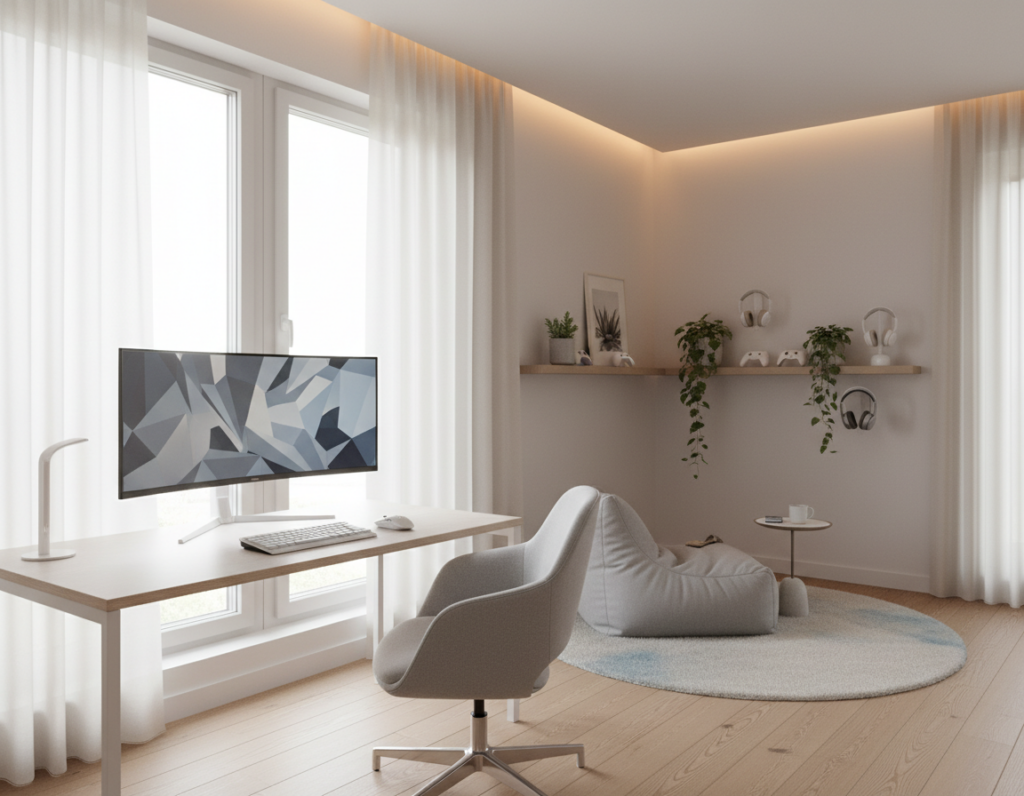
Wall-mounted shelves clear the floor and offer instant display for games and collectibles. Many players install floating shelves to show figurines and boxes while keeping seating and walking paths free.
- IKEA KALLAX units fit many setups and can be stacked or mounted to match a specific layout.
- Move storage up: free the floor and create more usable floor space for chairs or a compact desk.
- Group accessories by use so controllers, headsets, and chargers are within reach for the next game.
“Good wall storage turns clutter into a design feature and saves time when starting a session.”
When planned well, vertical storage becomes both functional furniture and decor. It supports a tidy gaming room and helps every item have a clear home.
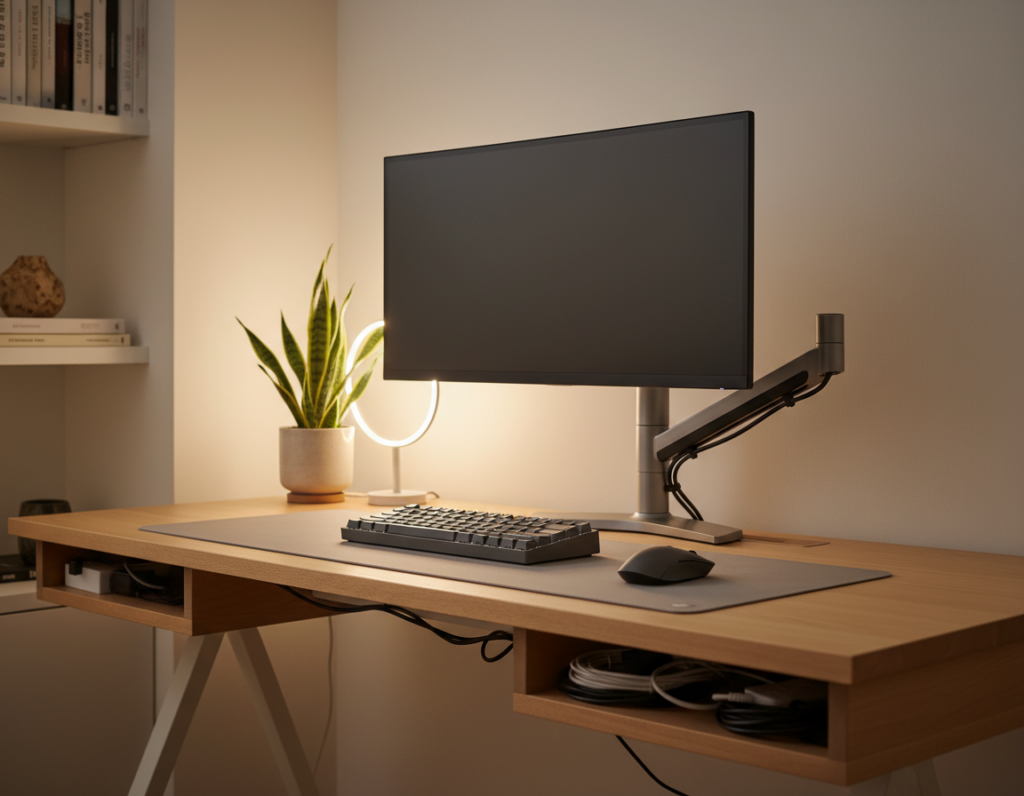
Implementing Smart Cable Management
Tidy wiring turns a cluttered corner into a polished, safe setup that feels intentional.
Effective cable management is vital to keep a gaming room clean and usable. Tangled cords steal visual space and create trip risks on the floor.
Start with cable clips, sleeves, and a cable management box to group power and HDMI lines. Route bundles along the wall or behind furniture so connections stay hidden but accessible.
- Label cords to speed accessory swaps and reduce downtime between games.
- Use zip ties or Velcro straps to make neat runs that protect connectors.
- Mount a power strip under the desk to free floor space and centralize plugs.
“Good wiring makes the setup look professional and keeps gear safe.”
Investing a little time in cable management prevents accidental damage and keeps focus on play. A clean layout also makes future upgrades faster and less stressful.
Choosing a Cohesive Color Palette
Consistent hues across walls, gear, and decor make the area feel larger and more curated. A tight palette unifies the overall design and gives each piece a clear purpose.
Start with a neutral backdrop on the walls so accents and neon highlights pop. Then pick two accent tones for furniture and posters to keep the aesthetic intentional.
- Limit the palette: use no more than three main colors to avoid a cluttered look.
- Match art and posters to those accents so framed pieces feel integrated, not random.
- Use contrast sparingly—bright accessories should highlight the setup, not dominate the space.
“A careful color plan turns decor into a cohesive visual strategy.”
For more palette ideas that work with contemporary setups, explore curated palette ideas. A consistent style throughout helps create a relaxing atmosphere that supports long sessions and keeps the game setup as the focal point.
Layering Lighting for Atmosphere
Properly layered light helps players switch from focused work to cinematic play in seconds. The right mix of task and ambient lighting makes the space adaptable and comfortable for long sessions.
Task Lighting Essentials
Task lighting brightens the desk area so controllers, keyboards, and notes are easy to see. A dedicated desk lamp reduces eye strain and keeps the setup organized.
Ambient LED Strips
Installing RGB LED strips behind a monitor or along shelves adds a futuristic vibe. LED lighting also deepens color contrast and highlights favorite decor without taking floor space.
“RGB strips create depth and make every game feel more cinematic.”
Smart Bulb Integration
Smart bulbs let users change color and brightness from a phone or voice assistant. This makes it simple to tune atmosphere for daytime focus or late-night play.
- Combine task and ambient layers for flexible moods.
- Use led accents to add depth without clutter.
- Favor controllable bulbs for comfort during long gaming sessions.
Incorporating Multi-Functional Elements
Smart, multi-use pieces let a compact setup shift from work mode to play without extra clutter. They combine comfort and function so each item earns its place.
A desk with built-in storage keeps controllers and cords tucked away. An ottoman can hide controllers and accessories while serving as extra seating.
Choose a folding chair or a convertible bench that stows when not in use. This makes it easy to reconfigure the layout for a different game or task.
Investing in versatile furniture saves money and reduces clutter. It also lets the space work for focused tasks, streaming, or casual play.
- Prioritize pieces that combine storage and surface area.
- Pick items that move or fold for quick layout changes.
- Label bins and compartments to speed access during sessions.
“Thoughtful, multi-purpose design ensures every item contributes to comfort and efficiency.”
Enhancing Acoustics in Limited Areas
Sound control transforms a compact setup into a focused, immersive space where every audio cue matters. Proper treatment prevents echoes and keeps dialog and effects clear during play.
Install acoustic foam panels on problem walls to cut reflections. Panels are affordable and easy to mount behind monitors or at first-reflection points.
Soft furnishings also help. A dense rug, heavy curtains, and a padded chair absorb stray sound. These items create a warmer, more controlled atmosphere without major renovation.
“A well-treated area lets players hear subtle cues and stay immersed without disturbing others.”
- Reduce echo to improve headset and speaker clarity.
- Use foam at ear height and corners for best results.
- Combine panels with rugs and curtains for balanced soundproofing.
Final tip: treat acoustics early in the layout process. Good sound makes every game feel more realistic and elevates the overall gaming experience in tight spaces.
Selecting Ergonomic Gear for Comfort
A properly engineered chair and desk combo makes each session easier on the body and mind. Choosing quality ergonomic furniture protects posture and boosts endurance for long sessions.
Top brands like Herman Miller, SteelSeries, and AKRacing provide models that support lumbar curves and offer adjustable settings. These options reduce strain and help keep focus during intense play.
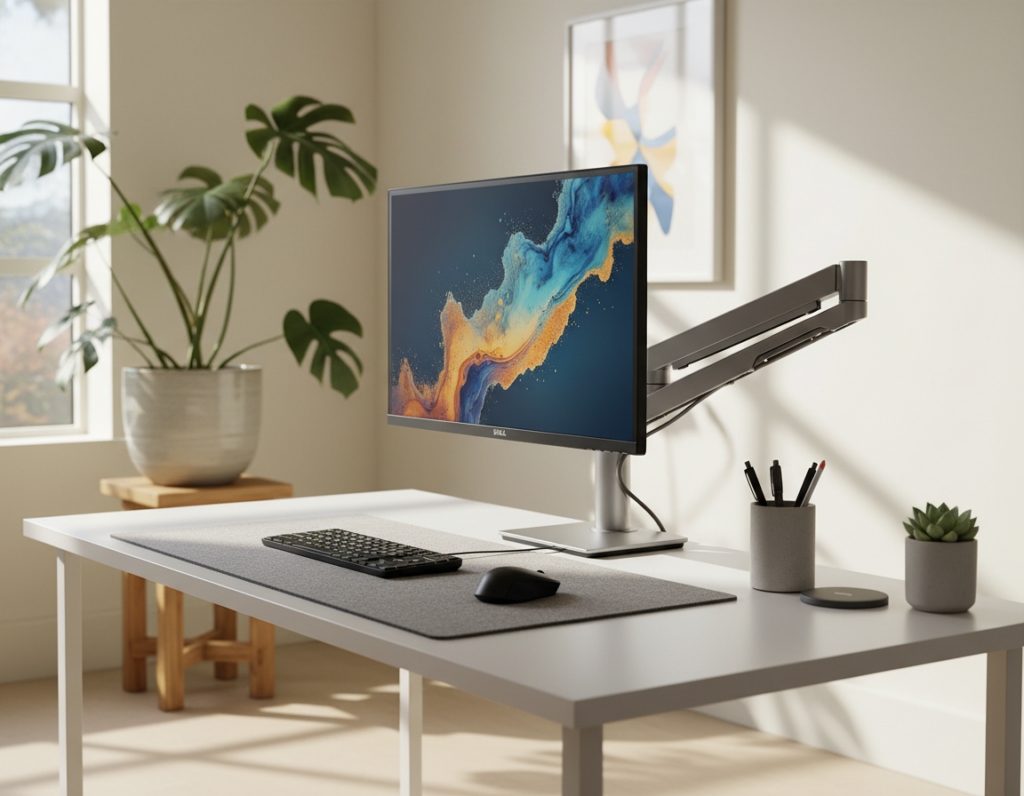
Monitor height and distance matter. Place the top of the screen at eye level and sit an arm’s length away to limit neck and eye fatigue. Good placement pairs with directed lighting to cut glare and sharpen visibility.
“Investing in ergonomic gear is a smart design choice that ensures comfort over time.”
- Pick a chair with adjustable lumbar and arm height.
- Choose a desk that fits standing or seated postures.
- Set the monitor for neutral neck alignment to improve the overall experience.
Prioritizing ergonomics lets a gamer focus on the game. It reduces downtime from discomfort and improves long-term health, making every session more enjoyable and productive.
Adding Personal Touches Without Clutter
A few well-chosen items tell a story while keeping the layout tidy and purposeful. This approach gives the space personality without reducing function.
Use wall-mounted shelves to display favorite games and accessories. Placing items on the wall frees the desk and floor and keeps essentials within reach.
Choose one focal shelf and limit displayed items to what matters most. Rotate collectibles and posters seasonally to keep the aesthetic fresh.
- Pair a single neon sign with framed posters to create a unified style.
- Store excess gear in labeled boxes so visible decor stays curated.
- Pick furniture that doubles as storage to reduce visual clutter.
“Curate, don’t crowd,” is a useful rule for maintaining balance between expression and order.
When personal items are deliberate, the space feels lived-in and functional. Thoughtful decor and smart storage make the setup both attractive and practical for play and work alike.
Avoiding Common Design Pitfalls
Poor planning often turns a promising setup into a cramped, awkward space that hinders play and comfort.
Start by measuring the area and planning a clear desk and storage layout.
Choosing oversized furniture wastes valuable floor space and blocks movement.
Watch the lighting and cable runs early in the design.
Bad light and tangled cords can ruin an otherwise strong design and make the space feel chaotic.
Limit wall decor so focus stays on the setup.
Too many accessories crowd walls and distract from comfort and visibility.
“Measure first, buy second — it saves money and prevents clutter.”
- Pick a compact chair that supports posture without overpowering the layout.
- Plan storage near the desk to keep controllers and cables within reach.
- Use simple lighting layers to balance task light and ambiance.
- Keep one accent area instead of covering all walls with items.
Final tip: a calm approach beats excess. Thoughtful planning prevents common traps and keeps the setup stylish and functional.
Conclusion
Finishing touches unify layout, lighting, and storage so the setup feels complete and welcoming. A clear plan for the desk, smart furniture, and purposeful decor makes the most of limited space gaming while boosting the overall atmosphere.
These room ideas balance style and function to improve comfort and the gaming experience over time. Proper light, ergonomic gear, and tidy cable runs cut distraction and extend gaming sessions without extra expense.
Whether a casual player or a dedicated gamer, focusing on thoughtful design and storage yields a professional-looking gaming room that fits the home and lasts. With planning and a bit of creativity, the setup will offer the right look, feel, and comfort for years to come.