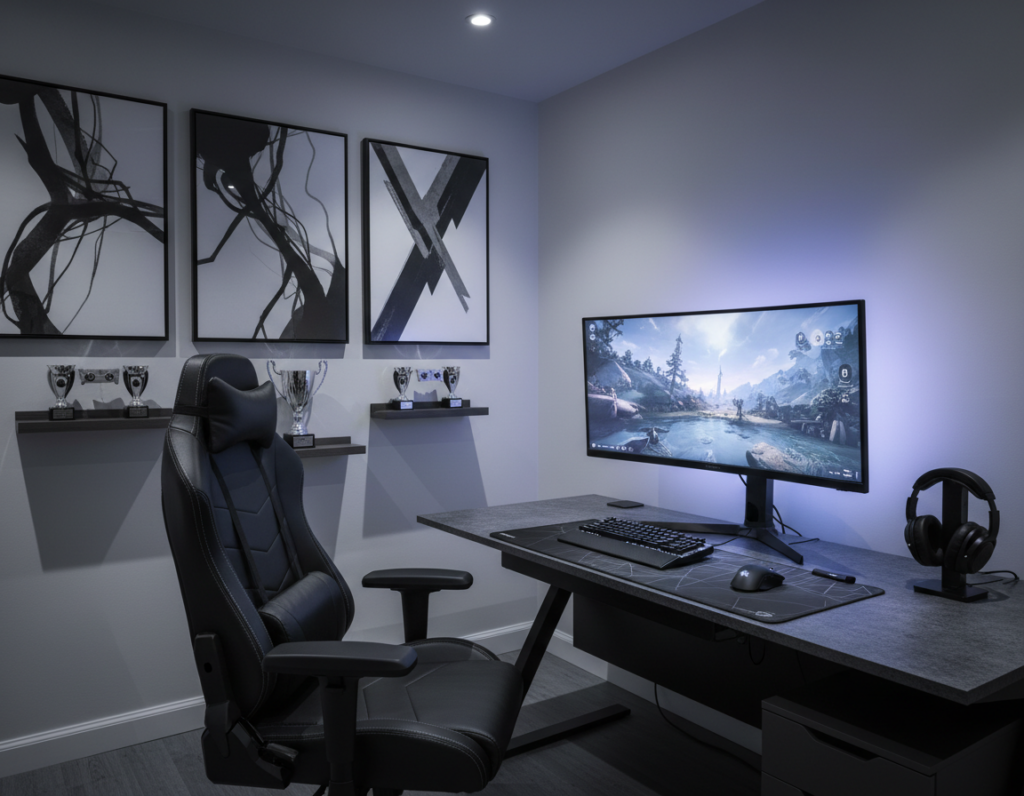
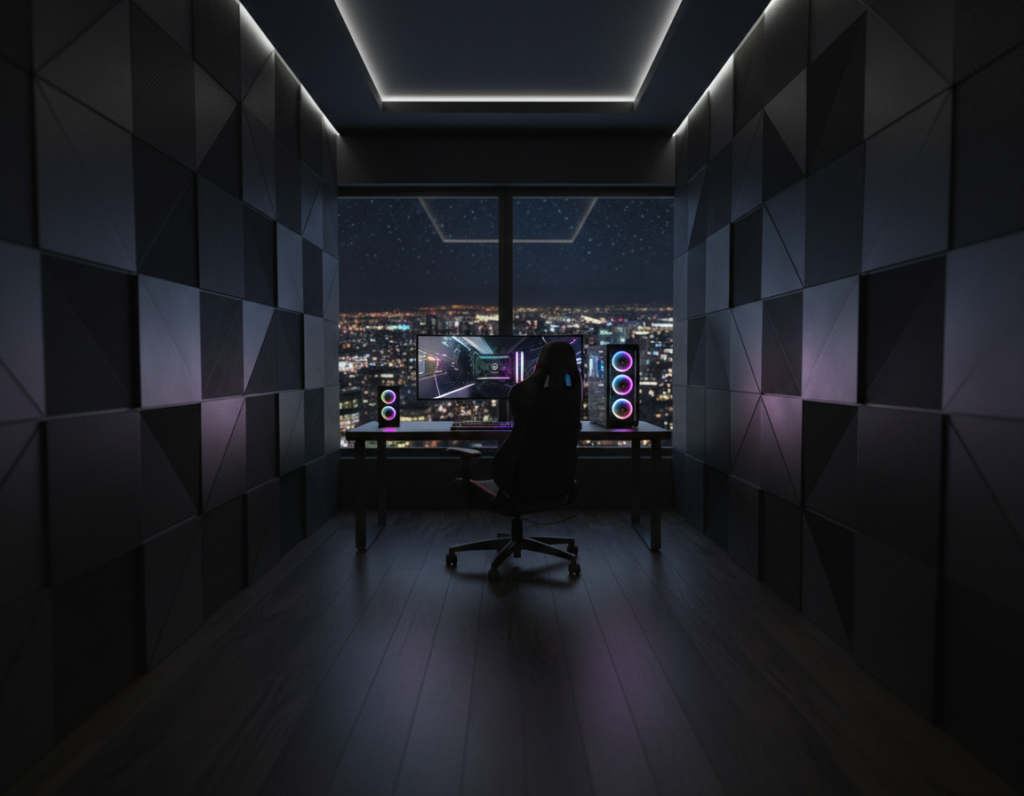
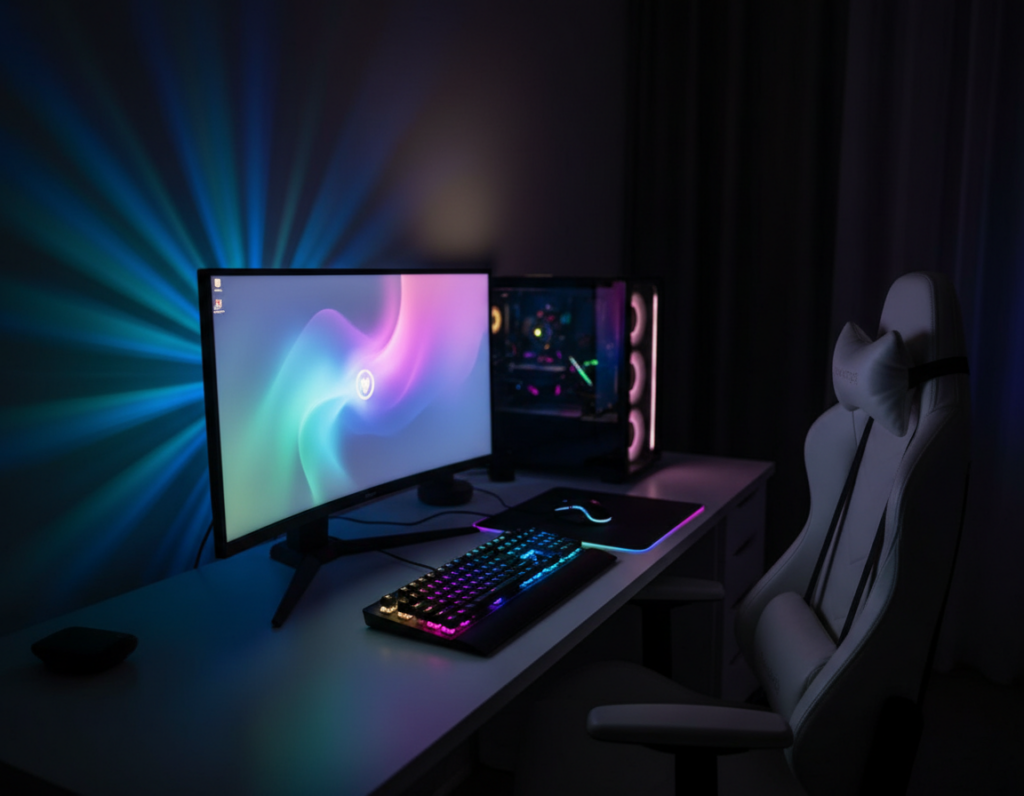
The evolution of the modern setup goes beyond raw hardware. The Jan 2026 update shows how builders now focus on atmosphere, layout, and comfort to elevate gaming experience.
Design choices such as ambient lighting, wall art, and smart cable management keep the space inviting. Choosing the right gaming chair and gaming desk supports long gaming sessions and prevents fatigue.
Storage, shelves, and clean display of hardware boost performance and style. Posters or curated art add personality without clutter.
When players balance dark tones with warm textures, the environment feels intentional rather than oppressive. Good lighting, targeted sound, and practical accessories help the gaming station stay functional and refined.
Result: thoughtful layout and quality features turn a dark theme into a tailored sanctuary for video games and long sessions.
Understanding the Cozy Black Gaming Room Aesthetic
Intentional design turns deep tones into an immersive, comfortable space for play and focus. This section explains what gives that look its appeal and why it works for long sessions.
Defining the Vibe
The vibe blends minimalism and warmth so gear stays the focal point. A case like the NZXT H510 Elite shows components through tempered glass while keeping a sleek finish.
Key features include soft seating, purposeful desk placement, and organized storage that prevents clutter. Shelves display favorite games and accessories, keeping the space tidy and personal.
The Psychology of Dark Colors
Dark tones add perceived depth and help the environment feel intimate and focused. Proper lighting—especially LED ambient strips—softens contrasts and reduces eye strain.
- Depth and focus: dark walls reduce distractions.
- Balanced lighting: LEDs and lamps create atmosphere.
- Sound and comfort: audio gear and chair choices heighten immersion.
Every element, from wall art to storage solutions, should be intentional to maintain cohesive style and improve the overall game experience for serious gamers and casual players alike.
Assessing Your Available Space
Start by mapping the usable floor and wall area to shape a practical setup that fits your lifestyle.
Measure twice and plan once. Note where power outlets and natural light sit. This helps decide desk placement and lighting choices.
Pick gear that matches the scale. A 27-inch monitor like the ASUS TUF Gaming VG27AQ delivers a 165 Hz refresh rate and crisp visuals without overwhelming a small space.
Think vertically. Use shelves for storage and display to keep the floor clear. Wall art or posters define the play area and add personal style.
- Measure for desk and chair clearance to protect comfort during long sessions.
- Choose multi-functional furniture to add storage without clutter.
- Position sound equipment and accessories for the best audio experience.
“A clear layout turns a tight space into a functional environment for both work and play.”
By focusing on essential features and smart layout ideas, any gamer can build a tidy, efficient space that supports games and productivity.
Selecting the Right Desk for Your Setup
A well-chosen desk anchors every setup and shapes how players interact with gear. It defines monitor placement, storage, and the flow of accessories during long sessions.
Choosing Between Wood and Metal Finishes
Wood tops bring warmth and a refined style. They work well with softer lighting and shelves that showcase collectibles.
Metal finishes feel modern and sturdy. They pair neatly with a robust gaming chair and support intense play without wobble.
- Bifrost Elite 120 — an electric, height-adjustable stand desk priced at $749.99. It helps posture and supports healthier gaming sessions.
- Look for integrated cable management and built-in storage or shelves to keep controllers and headsets tidy.
- Choose a spacious desk to improve monitor display and allow multi-screen options that enhance the overall experience.
Investing in a high-quality desk improves performance and comfort. For ideas on layout and finishes, consult this sleek setup guide.
Choosing Ergonomic Furniture for Long Gaming Sessions
Proper support and adjustability keep players alert and comfortable through extended matches.
Ergonomic furniture is essential for long gaming sessions. The right items prevent fatigue and reduce injury over time.
The Secretlab TITAN series stands out for strong lumbar support and durable materials. Many professionals prefer this gaming chair for its adjustability and sustained comfort.
Pick a gaming desk that allows proper arm placement and wrist alignment. A stable desk with adjustable height eases shoulder strain and improves performance.
- Support: Good lumbar and neck features keep posture steady.
- Adjustability: Chair tilt, armrests, and desk height tailor the setup to the player.
- Storage: Shelves and nearby storage hold accessories so players stay focused without constant movement.
“The right chair and desk combo is the most important investment for health and performance.”
By prioritizing these features, the room becomes a sustainable space for long gaming. Every piece should serve comfort and durability to protect hours of play.
Implementing Ambient Lighting to Soften Dark Tones
Mixing warm LED strips with targeted lamps helps balance mood and visibility across the space. This approach keeps the look intentional while preventing harsh contrasts that cause eye strain during long gaming sessions.
Using Warm LED Strips
Warm LED strips like the Philips Hue Lightstrip Plus let users tweak colors and brightness to match a chosen theme. They provide a smooth backlight behind the desk and monitors that reduces glare and improves perceived depth.
Strategic Placement of Lamps
Place lamps to highlight key features, such as wall art or the gaming chair, without blasting screens. A soft floor lamp behind the desk and a small directional lamp on a shelf give layered illumination.
Synchronizing Smart Lighting
Linking lights with audio creates immersion. When paired with a compact soundbar like the Razer Leviathan, synchronized cues make in-game events feel more immediate.
- Tip: Position lights to avoid reflections on the desk and monitor.
- Tip: Use warm tones to preserve comfort and style during sessions.
- Tip: Automate scenes for different games or work modes.
“Proper ambient lighting reduces fatigue and sharpens focus, improving overall performance and comfort.”
Managing Cables for a Clutter-Free Environment
Clear routing and smart anchors transform loose cords into an invisible backbone for the space. Good cable work keeps a gaming setup tidy and makes the whole environment feel intentional.
Start by grouping power and data lines with sleeves or braided wrap. Use Velcro ties and adhesive clips to anchor runs under the desk and behind shelves.
Protect the desk and hardware. Run wires through a cable tray or a management box to hide power strips and excess lengths. This preserves airflow around the PC and reduces trip hazards.
- Store surplus cords on shelves or inside a cable box to keep accessories organized.
- Label ends for quick upgrades and quicker troubleshooting.
- Secure loose plugs to prevent accidental disconnection during intense games.
A neat setup improves the gaming experience and helps maintain sound and lighting placement. Professionals often choose modular clips and boxes to keep a polished, serviceable station.
Tip: Regularly revisit cable routing after upgrades to keep the system efficient and safe.
Incorporating Textures to Add Warmth
Layered textiles transform hard surfaces into a welcoming setting that invites longer play. Soft elements balance tech and comfort to improve the overall experience.
Selecting Soft Rugs and Throws
Start with a plush rug under the desk to reduce echo and cushion footsteps. Thick fabrics also help with sound absorption for clearer sound during sessions.
Place a throw on the back of the chair or a nearby bench to make long gaming sessions more comfortable. Small cushions support posture and add a personal touch.
- Use shelves to display plush collectibles that add personality and extra softness.
- Layer textures—wool rug, cotton throw, and canvas wall art—to create depth without clutter.
- Choose storage that keeps accessories tidy and preserves the feel of the space.
Tip: Mixing tactile elements lets the desk and lighting stay prominent while the surroundings feel inviting.
For layout ideas and visual inspiration, consult this inspiration gallery.
Utilizing Vertical Storage Solutions
Smart vertical solutions convert underused wall area into a tidy command center for gear and collectibles.
The Novogratz Twin Loft Bed is a clear example of maximizing height. It frees the floor by creating a dedicated desk beneath the bed.
Benefits: placing a desk under the loft adds a compact workspace while preserving open floor space for movement and extra features.
Install wall shelves and pegboards to display accessories, controllers, and games. This keeps the desk clear and improves the overall experience.
- Use floating shelves to showcase posters and wall art without cluttering counters.
- Mount racks for headsets and controllers so they stay accessible during play.
- Stack storage bins or cube shelves to keep cables and small gear organized.
Vertical storage helps professionals and hobbyists maintain a clean, focused setup. Every inch of the wall becomes a feature that supports long sessions and quick access to favorites.
Tip: plan lighting around mounted shelves to highlight displays and avoid screen glare.
Integrating Nature-Inspired Elements
Introducing living elements helps balance modern gear with a more relaxed visual palette. Small plants, timber accents, and earthy colors create a calm contrast to high-tech hardware. This approach improves air quality and adds visual warmth to the gaming setup.
Place low-maintenance succulents or a snake plant on shelves or near the desk to save surface space. Wooden textures on a small side table or storage box tie the look together without competing with monitors or peripherals.
- Air and focus: plants reduce stale air and help players stay relaxed during long sessions.
- Practical display: use vertical storage and shelves to show greenery without cluttering the desk.
- Design cues: muted greens and warm woods support a cohesive theme and soften wall contrasts.
“A touch of nature can turn a functional space into a healthier and more inviting experience.”
These simple ideas help gamers craft a distinct look that supports play and well-being while keeping core features like lighting, storage, and desk layout fully functional.
Optimizing Soundproofing for Immersion
Sound treatment is one of the fastest ways to deepen immersion and sharpen audio detail in any gaming setup. Simple fixes make a big difference for the player’s focus and the feel of the space.
Install acoustic panels on the wall behind and beside speakers to cut echo and tighten low frequencies. Panels improve the sound performance of monitors and headsets without complex installs.
Seal gaps around doors and windows to block outside noise. Heavy curtains, draft strips, and a solid door sweep help keep the room quiet for high-volume sessions.
- Pro tip: Place a small rug and soft furnishings to reduce reflections if full panels aren’t possible.
- Streamers value a quiet space so voice and video capture stay clean during live sessions.
- Manage cable runs under the desk and behind furniture to avoid rattles and keep audio gear isolated.
“Sound is half the experience; proper treatment turns a normal setup into a performance-ready sanctuary.”
Good soundproofing raises performance and atmosphere. It lets players enjoy games at higher volumes, improves streaming quality, and makes the entire gaming experience more professional and private.
Displaying Personal Decor and Collectibles
Personal collections turn a neutral setup into an unmistakable expression of play and pride. Thoughtful displays make the space feel intentional and reflect a player’s history with video titles and hardware.
Use LED-lit shelves to highlight figures, boxes, and limited editions. LED backlighting brings depth and keeps the desk clear for performance gear. Posters and framed art define a visual theme and add character without clutter.
Organize games and accessories on open shelves or floating units to keep essentials accessible. A prominent gaming chair or a signed poster can become a focal point that inspires during long sessions.
- Highlight achievements: trophies, badges, or signed merch for motivation.
- Curate smartly: rotate items to keep the display fresh.
- Protect value: use cases or glass shelves for fragile collectibles.
“A well-curated display makes the setup feel professional and welcoming to visitors.”
Balancing Work and Play in One Station
A dual-purpose workstation needs intentional layout so work-time focus and play-time immersion coexist.
Choose a versatile gaming desk with adjustable height and integrated cable channels. An electric or height-adjustable desk lets users switch from typing to long gaming sessions without rearranging monitors or peripherals.
Select a supportive gaming chair that fits both posture-friendly work and marathon play. Comfort and lumbar support help sustain focus during meetings and long gaming without strain.
Use smart lighting to set the mood. Bright, cool tones help with productivity. Warm, dimmed scenes create an immersive gaming experience. Automation or presets make switching instant.
Keep cables tidy with trays and labeled runs so the desk stays professional for work calls. Separate storage zones for documents and controllers keeps the space organized and efficient.
“A workstation that adapts is the best way to get both comfort and performance from a single setup.”
- Tip: Pick a desk with modular accessories to add mounts, shelves, or a soundbar.
- Tip: Position sound and lighting to suit both meetings and gameplay.
- Tip: Maintain a small, dedicated area for work tools to avoid crossover clutter.
Conclusion
A thoughtful finish ties every choice together, turning a practical setup into a personal sanctuary. Balanced lighting and simple organization help keep the space calm and functional.
Careful planning makes a compact gaming setup support long sessions and daily routines. These steps will elevate your gaming experience and make the room better for favorite video games.
Small upgrades to the desk, storage, and layered lighting add comfort and clarity. With attention to ergonomics and style, the setup will reflect personality while staying practical.