This short guide shows how to build a clean, efficient multi-monitor setup that balances tech with style. It highlights simple steps to manage gear, control cables, and keep the screen area clear for long sessions.
By planning lighting, neon accents, and minimal accessories, a user can turn a standard room into a focused gaming room. Good lighting and RGB accents add atmosphere without crowding the view.
Practical choices — like a sturdy stand, smart cable routing, and the right chair — help create a neat look. These moves improve ergonomics and the overall gaming experience.
Focus on function first, then add style. This guide lays out clear ideas for layout, control of cables, and subtle signs that lift the room without overwhelming it.
The Importance of a Clutter-Free Gaming Environment
A well-kept space boosts concentration and makes long sessions easier to handle. A clear area reduces visual noise and supports faster reactions during intense matches. This directly improves the overall gaming experience.
Removing extra items lets lighting and neon accents stand out. Minimal accents and selective decor read as intentional choices rather than distractions.
Research links tidy environments with less mental fatigue. A neat room helps players stay sharp and focused for longer periods.
Practical storage keeps peripherals within reach and prevents last-minute scrambling. Investing in specific organizers makes the gaming room feel professional and reliable.
- Keep surfaces clear to maintain immersion.
- Store spare gear so the space feels calm.
- Limit visual clutter to enhance performance for any gamer.
“A reduced-clutter environment supports attention and lowers fatigue.”
Bottom line: Prioritize tidy layouts and smart storage to protect concentration and enjoy a cleaner, more immersive gaming setup.
Strategic Layouts for Multiple Monitor Setups
A thoughtful screen layout makes multiple monitors feel like one cohesive command center.
Monitor arms free up valuable desk surface and allow precise positioning of each monitor. They cut clutter and let a gamer center screens at eye level for better posture.
Ergonomic alignment matters for long sessions and streaming. Angle the center display toward the user and tilt side monitors slightly to form a gentle curve. This reduces neck strain and improves reaction time during intense games.
Monitor Arm Benefits
- Save space by lifting screens off the surface.
- Adjust height and depth to match natural sightlines.
- Quickly reconfigure the setup for solo play or co-op sessions.
Screen Alignment Tips
Place the top third of the main display at eye level. Keep equal distance between screens so the image flow feels natural.
A dedicated stand for peripherals, like the lightweight Razer Viper V3 Pro, keeps the area tidy and gives precise control when it matters most.
“Professional arenas use multiple displays and neon to build immersive spaces.”
Facilities such as the All Systems Go Esports center in Worcester, MA, show how screens, neon signs, and subtle LED accents can boost the overall experience without overwhelming the room.
For further setup tips, consult a cozy setup guide to refine lighting and layout choices.
Essential Cable Management Techniques
A reliable cable plan keeps power and data lines out of sight and out of mind. Clear routing protects gear and makes the room feel intentional.
Start by mapping connections. Label each cord, group like lines together, and plan a route that avoids high-traffic zones. This reduces tangles and makes future swaps faster.
Hidden Charging Stations
Install a hidden charging bay under the table or inside a shelving unit. A recessed power strip or USB hub keeps phones, controllers, and headsets powered without extra cords on the surface.
- Use cable trays and adhesive clips to run lines along the back of the furniture.
- Route long runs through grommets or conduit to keep cables behind the monitor and out of sight.
- Choose a central hub so accessories and games swap easily without new tangles.
Good control of cables improves the overall design and makes the setup safer. A tidy gaming desk creates a professional vibe and keeps neon signs and LED accents as subtle highlights.
“A clean cable system is the foundation of a distraction-free play space.”
Incorporating Gaming Desk Wall Decor
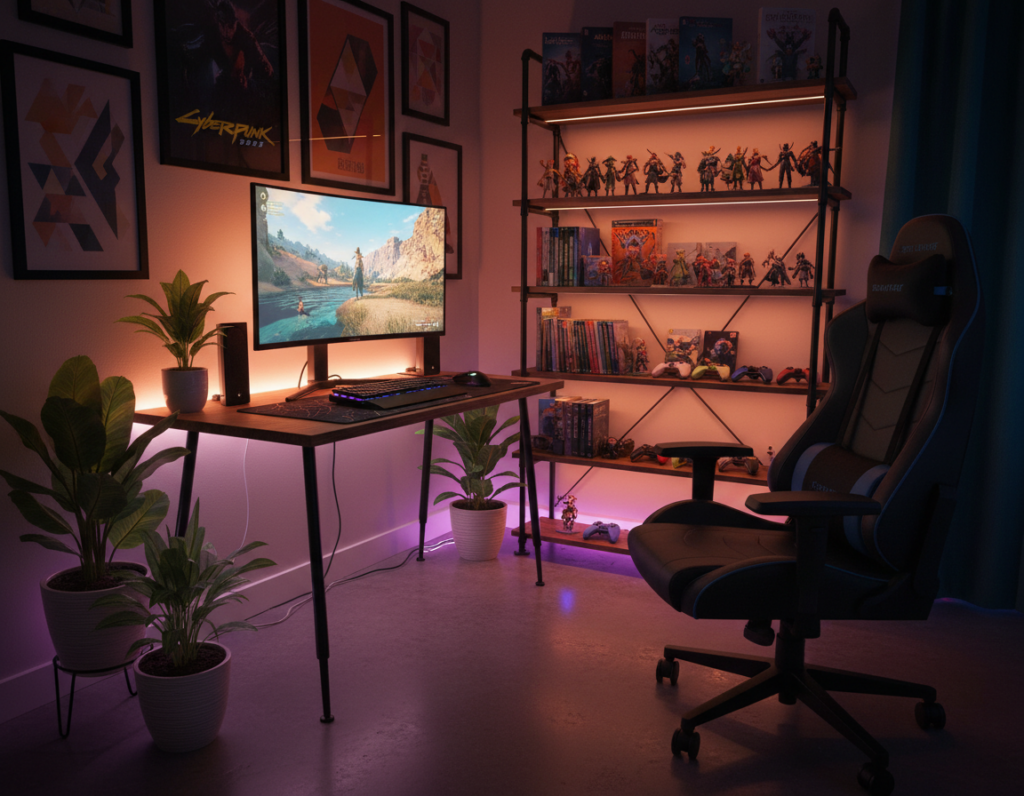
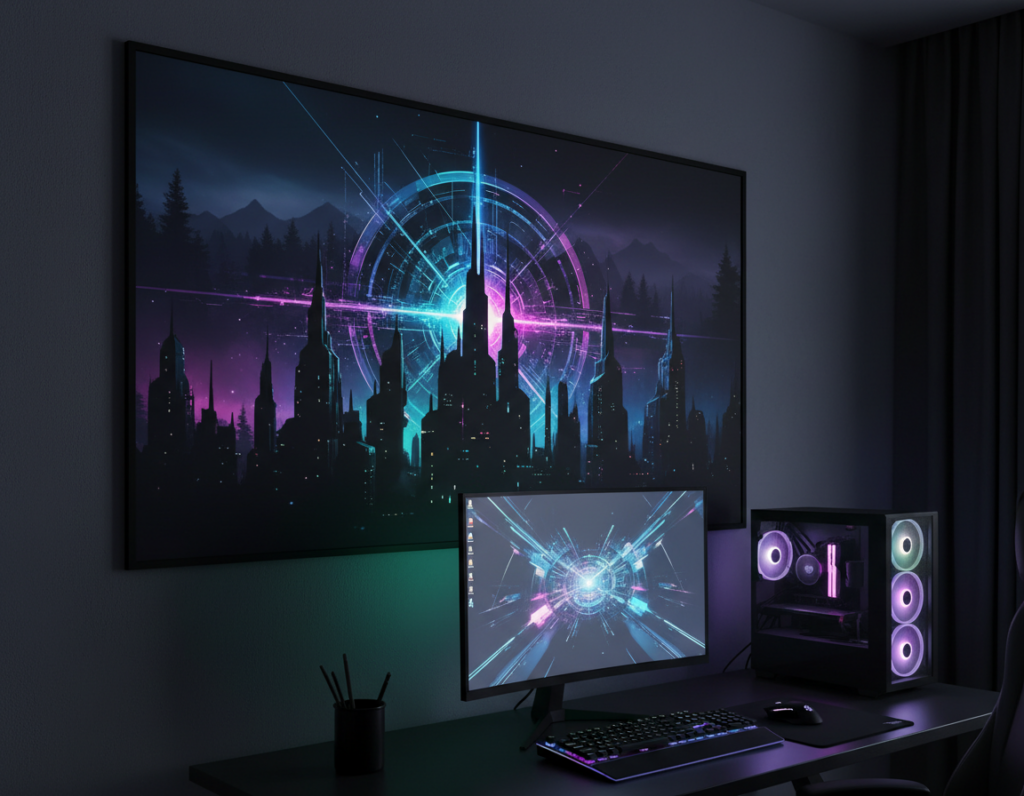
A curated display behind the monitors can add depth without crowding the immediate workspace. It gives the entire room a clear focal point and helps the setup feel intentional.
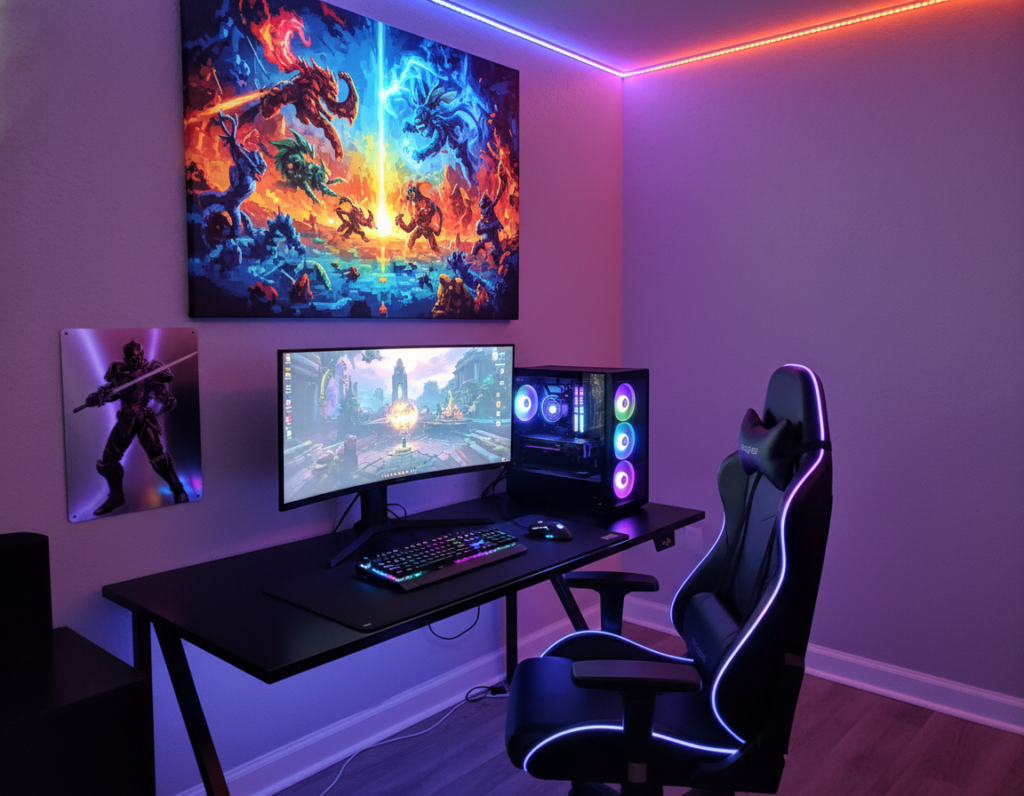
Use led strips to trace shelves or frames. These strips create subtle lighting that changes the mood without drawing attention from the display. A short strip behind each monitor helps blend screens into the background.
Mount a few slim shelves for collectibles, controllers, or framed art. This keeps the desk surface clear while adding personality. Integrating a single neon accent can elevate the scene and make the space feel like a studio.
Balance is key. Place heavier items opposite the main monitor to even visual weight. Choose a consistent color palette so the room reads as one cohesive theme.
- Highlight art with led strips for dynamic lighting.
- Mount shelves to free up desk real estate.
- Limit neon elements to one focal accent.
Selecting Ergonomic Furniture for Long Sessions
Well-chosen seating and work surfaces let a player focus longer with less strain. Comfortable furniture is the foundation of any long gaming sessions setup.
Lumbar Support Features
Invest in adjustable lumbar support. A chair that conforms to the lower back reduces fatigue and helps maintain posture during long gaming sessions.
The Arc ergonomic chair stands out with a dual back frame. Its design lets the backrest contour to each user’s spine for better comfort and control.
“Proper lumbar support reduces lower-back pain and improves sustained focus.”
Adjustable Desk Heights
Changing posture matters. A height-adjustable desk lets a gamer alternate between sitting and standing, cutting strain on the neck and shoulders over time.
- Set the monitor so the top third sits at eye level.
- Match chair height to keep knees at a 90-degree angle.
- Pick a stable surface with cable routing to protect accessories and maintain a neat room.
Bottom line: Choose a chair and an adjustable desk that fit the body. Doing so increases play time comfortably and keeps neon accents and other design elements from distracting health and performance.
Utilizing Vertical Space with Shelving
Vertical shelving transforms empty height into organized display zones. This approach frees the main surface and keeps the area ready for long sessions.
Mount shelves strategically to store controllers, headsets, and boxes of games. Placing items up high creates a cleaner floor plan and makes small rooms feel larger.
Use a mix of open shelves and closed bins so collectibles can be shown while smaller accessories stay hidden. The contrast helps focal elements, like a single neon accent, stand out without clutter.
- Group similar games and gear together for quick access.
- Keep heavy items low and lighter displays higher for balance.
- Use uniform shelving colors to unify the room’s design.
“A vertical plan saves surface space and keeps favorite items visible but tidy.”
Bottom line: Shelving is one of the best ideas in this guide for keeping a gaming room both functional and stylish. Proper storage protects gear and keeps the space calm for play and relaxation.
Ambient Lighting to Reduce Eye Strain
Balanced ambient light eases eye fatigue by matching monitor brightness to the rest of the room. This reduces contrast and keeps players comfortable during long sessions.
Smart lighting systems give precise control over mood and brightness. Users can switch from vivid RGB scenes for an intense game to soft, warm tones for breaks.
Smart Lighting Systems
Bias lighting is an easy upgrade: place LED strips behind the monitor to create a soft halo. That halo improves perceived contrast and lowers eye strain.
- Use app-controlled lights to set schedules and scenes for different sessions.
- Combine neon signs and adjustable lights to build depth without glare.
- Keep one neutral source for reading and softer tones during long play.
“Good ambient lighting protects vision and enhances the overall gaming experience.”
Bottom line: Integrate smart LEDs, bias lighting, and simple controls to keep the setup stylish and easy on the eyes. Proper light makes the room more usable and the game more immersive.
Integrating Personalized Neon Signage
A custom neon sign can turn a simple setup into a memorable focal point for streams and sessions. Custom Neon offers 18 color options, so it’s easy to match a sign to the room palette and lighting scheme.
These signs do more than look good. Placed behind the display or above the desk, a neon element creates soft bias light that reduces contrast and adds mood while someone plays a game.
For streamers and casual players alike, a personalized sign gives the setup a studio feel. It signals brand identity to viewers and makes the space look polished without cluttering surfaces.
Simple placement rules help. Keep signs at mid-level so they frame the screens, pick one dominant color from the 18 choices, and avoid competing lights nearby.
- Use neon as a focal accent to define the gaming room area.
- Match LED color to other lighting to maintain a unified mood.
- Keep signs mounted and wired through hidden channels to limit visible cables.
“A single, well-placed neon sign can elevate a streaming setup into a professional-looking studio.”
Displaying Collectibles Without Creating Mess
Showcasing collectibles without clutter starts with defining a single, dedicated zone for them. This keeps the main setup clean and lets items become a focal point instead of a distraction.
Clear Display Cases
Clear Display Cases
Using transparent cases is the best way to showcase figures and memorabilia while keeping surfaces neat. A case protects items and makes the collection read as intentional design rather than random clutter.
Dust-Free Storage Solutions
Practical storage keeps pieces safe from dust and damage. Wicked Brick offers a Star Wars themed printed window display for the IKEA KALLAX unit for £19.99. It’s an affordable way to keep collectibles secure and visible.
- Organize items on a dedicated stand or shelf so the main surface stays clear.
- Use protective cases for games, figures, and fragile accessories.
- Limit placement to one area so the room feels tidy and purposeful.
“Protective displays let collectors show off items without sacrificing a clean design.”
Choosing Minimalist Accessories for a Clean Look
A pared-back selection of accessories preserves visual calm and makes every piece feel intentional.
Keep items functional and few. Select a comfortable chair, a compact monitor arm, and one purposeful charging hub. These essentials reduce clutter and support long sessions without distraction.
Limit surface items so the led lighting and neon accent become the room’s defining features. A tidy display area helps those elements stand out rather than compete for attention.
Choose high-quality pieces that serve more than one purpose. A slim shelf that holds controllers and a headset both stores and showcases gear. This approach keeps the desk clear and the overall look cohesive.
- Pick a simple, ergonomic chair to reduce strain and visual noise.
- Use matching cable covers and a single color palette for unified style.
- Limit decorative items to one small display to avoid clutter.
“Minimal accessories keep the focus on performance while preserving a polished look.”
Managing Desk Surface Space Effectively
Clearing prime surface area gives each monitor and peripheral the room to perform without distraction. A tidy surface improves posture and keeps the screen line of sight open.
Multi-Functional Storage
Use storage that works double duty. A shallow shelf under a monitor stand or a slim drawer beneath the table stores controllers, headsets, and spare cables. This keeps essential gear within reach and off the main surface.
Smart boxes and vertical trays let a small room feel larger by moving bulk upward. Foldable trays can hold games and accessories when in use, then tuck away when not needed.
- Place frequently used items on simple trays for quick access.
- Use labeled bins to speed swaps between games and work.
- Route power through a hidden conduit to cut visible cable clutter.
“A well-organized surface gives better control over play and productivity.”
Bottom line: Prioritize multi-functional storage to maximize usable space and keep the gaming room clean and efficient.
Enhancing Immersion with Smart Tech
Adding programmable tech makes the space respond instantly to what’s on the display. Devices like the Elgato Stream Deck give streamers and players one-touch control of scenes, audio, and lighting so they never break flow.
Smart lighting and RGB syncs color and intensity with gameplay, creating a reactive atmosphere that improves focus and mood. Central control reduces visible cable runs and keeps the room tidy while everything reacts to the game.
- Use a control pad to trigger lighting presets and monitor profiles instantly.
- Combine neon signs and app-controlled lights for layered, low-glare bias light.
- Route power and data through a single hub to simplify cable management.
For streamers, integrated tech speeds scene switching and boosts production value. For anyone upgrading their gaming room, try one-touch controls and synced LEDs to make the setup feel alive. Learn more ideas with this epic room ideas.
“A reactive space keeps the player engaged and the experience seamless.”
Adding Greenery for a Zen Gaming Experience
A touch of living green helps soften electronic edges and steady the mood during long sessions. Adding plants to a gaming room balances tech intensity with calm, natural texture. Small planters make the space feel intentional and less clinical.
Place a small plant on a display stand near the desk to lift air quality and visual warmth. A single potted fern, snake plant, or pothos is low-maintenance and filters the air while keeping the area tidy.
This natural accent complements neon lighting and modern accessories without cluttering the setup. It gives the room a softer edge while preserving the clean lines of monitors and stands.
- Pick compact plants that thrive in indirect light.
- Use matching pots or a small stand to keep a unified look.
- Rotate or water weekly so the display stays fresh and healthy.
“Plants turn a high-tech space into a calm retreat.”
Bottom line: A few well-chosen plants deliver a calmer game experience and make the gaming space feel like a sanctuary after a long day.
Using Wall Panels for Texture and Depth
Installing 3D panels adds architectural interest and helps the display read as part of a designed space. These panels give the room instant texture without piling on items.
Benefits are immediate: panels create depth, reduce echo, and form a professional backdrop for a multi-monitor setup. They work well with LED strands and RGB accents to produce subtle, layered lighting.
Practical ideas include staggered tiles or geometric panels that catch light and shadow. Mount panels behind the main monitor to frame the view and let neon accents pop without competing with screens.
- Use neutral panels with colored backlighting for a refined style.
- Combine different textures to build a single focal area for the display.
- Choose lightweight, easy-install options to avoid long renovations.
“A textured backdrop makes the setup feel like a curated studio rather than a cluster of gear.”
Maintaining Your Setup for Long-Term Organization
A few simple habits each week will protect gear and keep the room ready for long sessions. Regular upkeep helps create a lasting environment that supports long gaming sessions and streaming alike.
They should wipe screens, dust vents, and vacuum behind stations to avoid heat buildup. Treat the gaming chair and desk surfaces with quick wipes so materials last longer and continue to look sharp.
Set aside time for cable runs. Label leads, tighten zip ties, and reroute any loose lines to keep the space safe and tidy.
- Schedule a weekly 15-minute tidy to handle small tasks.
- Check mounts and power strips for wear to avoid surprises.
- Keep neon and other accents dust-free so they stay vibrant.
“A well-maintained gaming room is the foundation of a great experience.”
Bottom line: Maintenance is ongoing but simple. Consistent care saves time and keeps the setup functional, stylish, and ready for the next long gaming session or streaming run.
Conclusion
strong, Smart choices align style with function so the workspace supports long use without fuss. A tidy setup rewards effort with clearer focus and more comfort.
By choosing ergonomic furniture, routing cables thoughtfully, and adding a single personal accent, a user can build a clean, practical desk area that reflects their taste. These steps reduce distractions and protect posture.
Whether someone is a casual player or a pro streamer, the same rules apply: prioritize function, then layer in style. Start small, keep routines for maintenance, and enjoy a setup that works reliably every day.