In 2026, the focus has shifted from bulky thrones to refined support that fits modern homes. Designers and brands like Secretlab emphasize ergonomic builds that blend into a home office with subtle style.
They note that the right chair is a key performance factor for anyone who spends long gaming sessions at their desk. A compact seat can free floor space and improve posture without losing comfort or features.
Choosing the best gaming chair for a particular floor plan means balancing design, price, and ergonomic level. When done well, these options lift the overall experience and keep focus during extended time at the desk.
– Refined, ergonomic seats now outperform bulky racing designs in home office setups.
– Balance style, price, and comfort to find the best gaming chair for long sessions.
The Problem with Oversized Racing Chairs
Oversized racing seats can dominate a compact office and undermine careful layout planning.
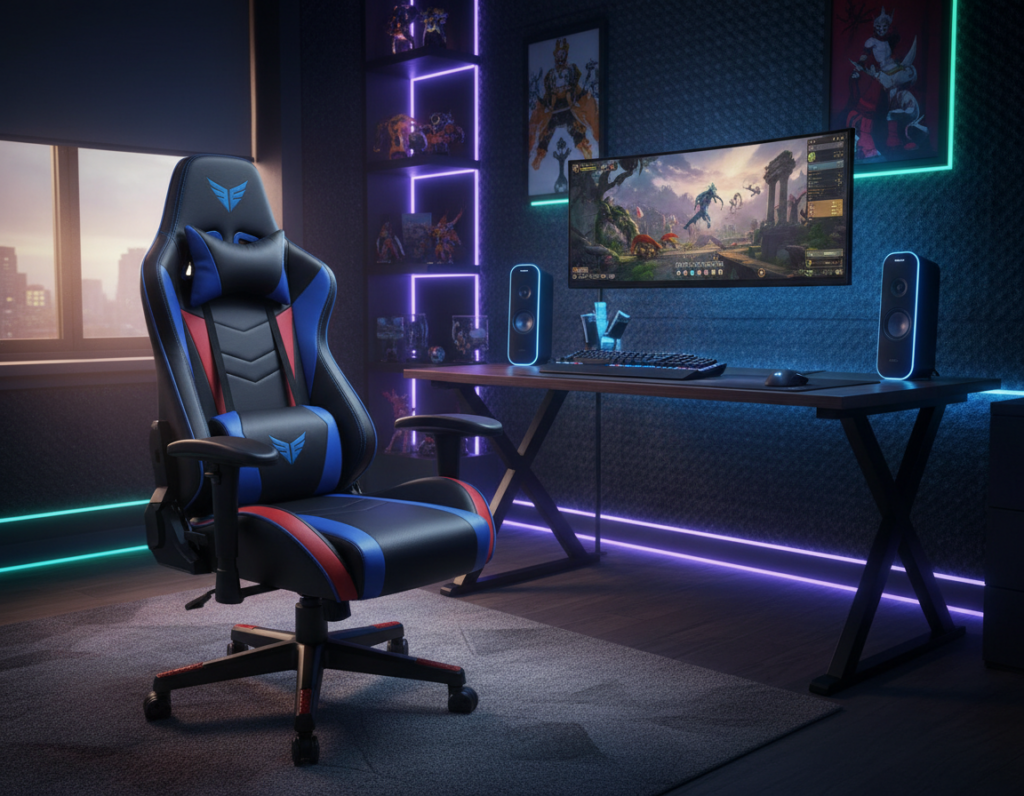
The @cougargaming_official model shows how wide proportions and bold stitching overwhelm a room. These designs often prioritize visual performance over true adjustability.
Many users report that traditional racing chairs become uncomfortable during long gaming sessions. Rigid frames and fixed lumbar pads can cause strain after extended time at the desk.
Key issues to watch:
- Wide seat dimensions that swallow floor space and block pathways.
- Poor adjustability for tilt, arm height, and lumbar position.
- Non-optimized lumbar support that causes lower-back fatigue during sessions.
- Bulky styling that clashes with a streamlined office layout.
Replacing a massive model with a compact option can restore room flow and improve posture. For details on common ergonomic failures and fixes, see common problems with ergonomic gaming chairs.
Why Small Gaming Chair Ideas Matter for Modern Setups
Choosing a refined, space-conscious seat changes both room flow and long-term comfort. A compact design keeps the workspace tidy and helps the user focus during long hours at the desk.
Benefits of Minimalist Design
Minimalist lines reduce visual clutter and make a room feel larger. Models like @hmgaming and @secretlab prove that clean form can still deliver performance and comfort.
Integrated lumbar support keeps the back aligned without bulky add-ons. That means better posture and fewer interruptions during extended sessions.
Enhancing Room Flow
A narrower seat allows easier navigation around the desk and improves the overall experience of the home office. Thoughtful seat dimensions help the best gaming setups blend into living areas rather than dominate them.
“Good design is invisible — it supports use without shouting for attention.”
- Refined style that fits modern home decor.
- Improved room circulation for daily use.
- Optimized lumbar and seat depth for longer comfort.
Wall Mounted Fold Down Seating Solutions
A mounted, fold-down seat offers flexibility by freeing the floor while keeping professional posture options at hand. This design converts a wall into usable seating for a home office or a focused play setup. It works well where floor area is at a premium and storage matters.
Installation Considerations
Installation usually costs more up front than a freestanding option, but the payback comes in reclaimed floor and tidy storage. Installers recommend anchoring into studs and using hardware rated for the advertised weight capacity.
Always check weight limits. Verify the mount supports the user’s weight plus any added pressure during long gaming sessions. Confirm that the bracket and fasteners match the floor and wall materials in the room.
- Space-saving support: A fold-down gaming chair gives ergonomic support without permanent footprint at your desk.
- Stable performance: Confirm the weight rating to ensure steady lumbar support during long time at the desk.
- Clean design: Fold-away racing style seats keep a clean look while offering pro-grade comfort when in use.
When properly installed, these wall-mounted options transform a compact area into a versatile office and play space. They balance price, design, and safety to make the most of tight rooms.
Compact Ergonomic Bucket Seats for Tight Spaces
A narrow-footprint bucket seat can transform a tight corner into an ergonomic station.
Compact bucket seats from collections like @dwroxnardoutlet combine targeted lumbar support with a design made for reduced floor use. These models aim to give desktop users the benefits of a full-size gaming chair while keeping the office uncluttered.
Key advantages:
- Provides steady lumbar and back support with adjustable lumbar support for long sessions.
- Adjustable armrests add real adjustability without a bulky footprint at the desk.
- Fits beside a desk to keep the floor clear and allow easier navigation through the room.
- Offers the posture and comfort of a racing-style seat without the oversized design and storage demands.
“A compact bucket seat should never trade support for size.”
When comparing price, factor in long-term comfort and durable armrests. A well-chosen gaming chair small enough for tight spaces can outvalue cheaper, bulkier options over time.
Multi Purpose Storage Benches and Ottomans
Choosing a storage-forward seat helps homeowners hide cables, controllers, and spare peripherals without sacrificing comfort.
A storage bench or ottoman acts as a dual-purpose chair. It adds extra seating and keeps the room tidy by concealing gear.
The @mochi.crafts setup shows how a plush cushion can make a storage piece feel cozy. That blend of soft texture and hidden compartments creates a relaxed nook in a busy home office.
- Dual use: Serves as a spare chair while hiding controllers and cables.
- Quick access: Gear is close at hand during long gaming sessions without cluttering the desk.
- Ergonomic touch: Benches with built-in lumbar support improve back alignment during play.
- Clean setup: Integrated storage reduces distractions and boosts focus over time.
“A tidy seat is an easy way to make a room feel organized and intentional.”
Slim Swivel Stools for Hybrid Workstations
A well-designed swivel stool can bridge the gap between professional desk use and extended entertainment sessions.
Slim swivel stools are ideal for people who need a hybrid workstation that shifts easily from office work to gaming. They slide under the desk to save floor space while keeping a clear line of motion in the room.
Adding a lumbar cushion to the stool improves back support for longer sessions. A thin cushion gives targeted relief without bulk, so the seat remains adaptable for both work and play.
Simplicity is the strength of these stools. The design keeps posture supported even when not using a traditional gaming chair.
- Hybrid-ready: Moves between work and leisure with no fuss.
- Space-saving: Slides beneath the desk to free circulation.
- Added comfort: A lumbar cushion boosts long-term comfort for sessions.
- Versatile design: Works as an office chair substitute when needed.
“A slim swivel stool makes a multi-use room feel intentional and uncluttered.”
Designing a Dedicated Micro Gaming Corner
A focused micro corner can convert an unused wall into a high-performance command station. This approach keeps a main office functional while adding a defined play area that supports long sessions.
Vertical Shelving Integration
Vertical shelving maximizes storage without expanding the desk footprint. Shelves hold headsets, controllers, and spare cables so the desk stays clear for hours of focused play.
Tip: Anchor shelves to studs and use modular units to adjust height as gear changes.
Task Lighting Placement
Task lighting defines the zone and reduces eye strain. Position a focused lamp behind the monitor or on a shelf to wash the desk area in soft, even light.
Ambient strips add atmosphere and help the corner feel intentional without overwhelming the room.
Defining Zones
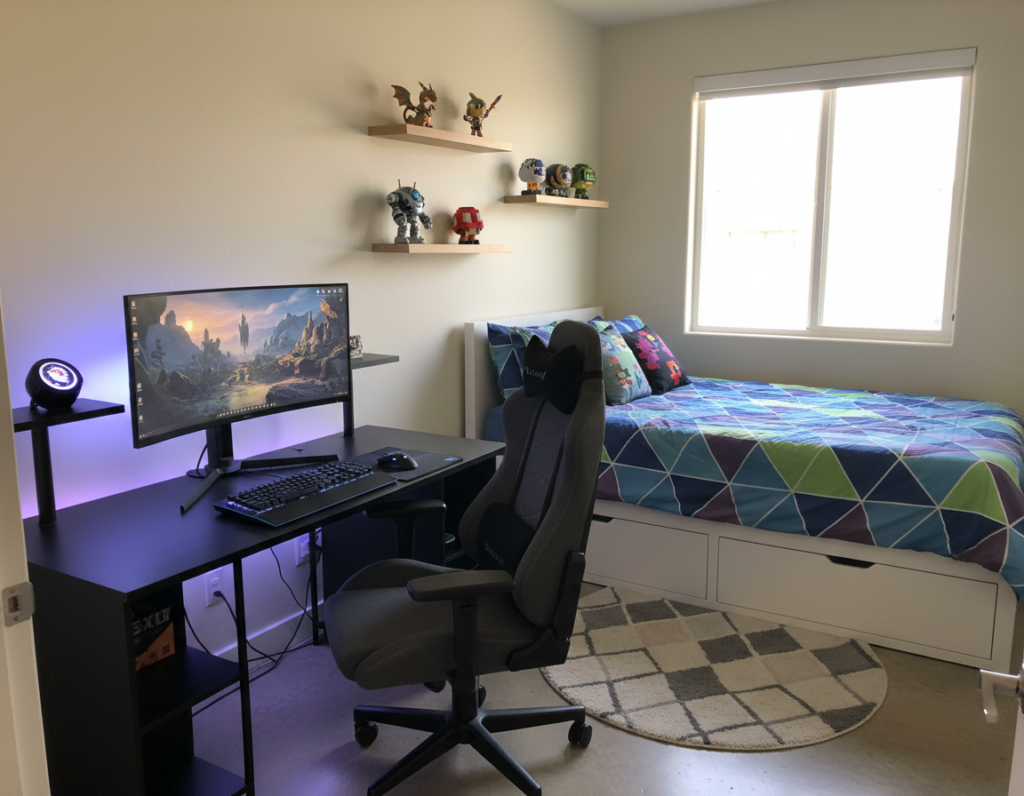
Use a rug, a compact seat, and a dedicated desk to mark the space. Proper lumbar support and a stable seat help maintain back alignment during long hours.
- Command station: The @ed.techsource setup shows how a built-in tray and ambient lighting create a cohesive area.
- Clear desk: Vertical storage keeps the surface free for performance tasks.
- Intentional layout: Defined zones let the home office stay professional while offering a focused gaming setup.
Measuring Your Room for Optimal Chair Placement
Measure twice before buying: accurate room dimensions stop layout regrets and ensure a functional gaming chair fit.
Start by measuring the available floor width where the seat will sit. Record the distance from the desk edge to the nearest wall and note any doors or walkways that must remain clear.
Always check the clearance behind your chair to allow a full recline. A full recline needs extra room, and lack of clearance harms posture during long gaming sessions.
Consider leg and knee space when seated at your desk. Proper spacing avoids pinched angles and keeps the user comfortable over time.
- Measure floor width to find the best gaming chair for the room.
- Allow recline clearance so lumbar support works as intended.
- Use 3D tools like Homestyler to visualize how a new chair will fit the current setup and office layout.
“Proper measurement prevents the common mistake of buying a model that is too large and saves time and money.”
Balancing Aesthetics with Functional Support
A refined seat should marry clean lines with the mechanical support needed for long sessions.
@secretlab shows how modern design and true ergonomics can coexist. Their pieces prove that a seated setup can match living-room decor while delivering targeted lumbar support.
Choosing the right item is about more than looks. It is about sustained comfort and reliable performance during long hours at a desk.
- Performance meets style: The @secretlab collection blends a sleek look with functional features for serious users.
- Value and support: A model that offers solid lumbar support at a fair price is the best gaming upgrade for many buyers.
- Durable materials: Quality fabrics and frames keep comfort consistent while preserving a refined home aesthetic.
In a compact office, the goal is a versatile seat that reads as furniture and works as a performance tool. That balance keeps the room cohesive and the user focused.
The Importance of Adjustable Lumbar Features
Adjustable lumbar systems can make the difference between fatigue and lasting comfort during long hours at a desk. This feature supports the spine’s natural curve and reduces pressure on the lower back.
Customizing Your Support
Adjustable lumbar support is the most important feature for any gaming chair. It keeps the back aligned and lowers the chance of strain during long sessions.
Many modern chairs let users fine-tune lumbar height and depth. They also offer adjustable armrests and tilt to match desk height and body shape.
- Ergonomic adjustability: Tailors the seat to individual posture.
- Integrated cushion: A lumbar cushion provides targeted back support when needed.
- Refined design: Lines from @hmgaming prioritize these features for a home office.
“Custom support keeps users comfortable and productive for longer.”
Investing in a model with real adjustability is a practical step. It improves comfort, protects the back, and extends the useful life of the office setup.
Material Choices for Long Gaming Sessions
The fabric and foam beneath a user matter as much as the frame for all-day comfort. High-quality upholstery helps regulate temperature and reduces sweat during long gaming sessions.
Breathable textiles like mesh or performance fabric wick moisture and keep the back cool over hours of use. These materials also tend to compress less, preserving seat shape and support.
Premium leathers offer a refined look and durable surface, but they can trap heat. If choosing leather, look for ventilated or treated options to improve airflow.
- Durability: Brands such as @secretlab use dense foams and reinforced frames to maintain lumbar support through heavy use.
- Comfort vs. price: Investing in resilient materials often lowers long-term cost by delaying replacements.
- Performance: Proper material choice preserves ergonomic features and the overall experience over many hours.
“A well-made seat holds its shape and support, so the user stays comfortable through long sessions.”
Integrating Chairs into Minimalist Home Decor
A thoughtfully selected seat balances ergonomic function with the quiet confidence of modern furniture.
The @secretlab collection offers neutral-toned gaming chairs that blend with living spaces. These pieces favor clean lines and subtle lumbar support so the seat performs without shouting for attention.
Neutral colors ease visual transitions between work and leisure. They allow a chair to act like furniture rather than equipment in a shared room.
People who prefer a refined look can keep a professional office vibe while enjoying the support of a performance seat. The result is a cohesive space that supports long sessions and daily life.
- Subtle profile: Choose a model with slim arms and gentle contours for a furniture-forward appearance.
- Consistent palette: Match upholstery to rugs or shelving to keep the layout calm and intentional.
- Functional design: Prioritize adjustable features hidden within the form to preserve the room’s style.
“A well-integrated seat proves you do not need to sacrifice aesthetics for ergonomic comfort.”
Avoiding Common Pitfalls in Small Space Design
Many layout mistakes start with picking a model that looks right online but overwhelms the real room. That misstep restricts movement and makes the office feel cramped.
Quick checks before you buy:
- Measure floor clearance and desk approach so the seat will not block walkways or doors.
- Verify weight capacity and adjustability to ensure the seat supports both office work and occasional gaming chairs use.
- Inspect armrests and the cushion for comfort—these features determine how long someone can sit without strain.
- Consider storage-friendly options like a bench or a compact chair small enough to tuck away.
Plan the floor layout to avoid surprises. A clear way from desk to door and a defined spot for peripherals save time and keep the room functional.
“Good design prevents clutter and keeps a space usable for people of different sizes and workflows.”
Budgeting for Quality Compact Furniture
A clear budget prevents impulse buys that later fail to support long hours at the desk. A reasonable range for a high-quality compact gaming chair sits between $150 and $500. That span covers durable materials and useful features without overspending on branded trimmings.
Buyers should prioritize adjustability and lumbar support. Those two items deliver the best long-term value and protect posture during extended sessions.
Avoid the cheapest racing models that cut corners on support and frame weight capacity. Low-cost options often lack the build quality needed for reliable performance over years.
- Price range: $150–$500 covers many quality options.
- Prioritize: adjustability and lumbar support for longer comfort and better value.
- Choose wisely: compare features, look at real-world reviews, and check floor footprint for tight spaces.
“Investing in a well-designed chair saves money over time by avoiding frequent replacements.”
Essential Ergonomic Guidelines for Healthy Posture
A few ergonomic rules ensure the body stays supported through extended periods at the desk.
Follow OSHA recommendations so the feet rest flat on the floor and the knees form a 90-degree angle. This simple alignment reduces strain during long hours and lowers the risk of fatigue.
Position the monitor at eye level to protect the neck and upper back during sessions. Proper screen height removes the need to lean forward and keeps the spine neutral.
Choose a seat with adjustable lumbar support and armrests to maintain consistent posture. The right adjustability helps users fine-tune fit for body shape and desk height.
Add a lumbar cushion if extra back support is needed. Balance comfort with budget—consider price only after confirming core ergonomic features work for daily use.
“Good ergonomics protect health and boost performance over time.”
By prioritizing these guidelines, they can protect their health and enjoy longer, more focused sessions at the desk with reliable support.
Conclusion
Conclusion
A focused selection strategy helps a compact setup deliver both style and support. They should prioritize fit, function, and durable materials to keep long sessions comfortable.
Key features to check are adjustable lumbar support and reliable adjustability. Wall-mounted seats and storage benches show that a modest footprint can still provide pro-level performance.
Always measure the room, confirm clearance, and set a clear budget before buying. With careful choices, the result is a cohesive, stylish setup that supports long use and looks at home in any modern office.