Choosing the right minimal gaming desk for dual monitors means balancing a clean look with the strength to hold heavy screens and a keyboard setup. The right product uses a sturdy frame, quality wood or metal top, and enough surface width to fit screens and a mouse without crowding.
Home and office players benefit when a table has clear storage shelf options and integrated cable routing. Weight capacity and a stable edge make long play sessions safer and more comfortable. Brands like IKEA and Autonomous now offer standing desk models with adjustable height that let users switch between sitting and standing throughout the day.
Adding monitor arms and smart accessories maximizes room space and keeps the setup clutter-free. Good reviews often praise strong frames, roomy surface area, and easy adjustability. In short, a compact, well-built unit can deliver a pro-level experience without a lot of fuss.
The Appeal of Minimalist Gaming Environments
A pared-back play area can turn a cluttered room into a calm, productive zone.
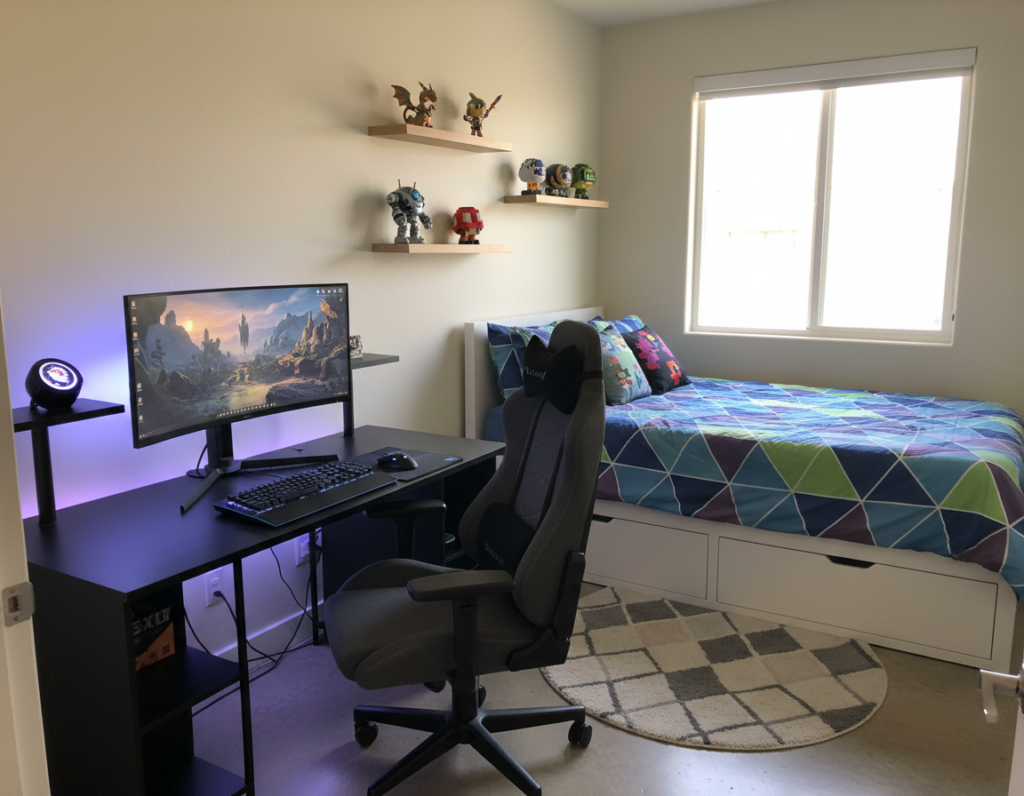
A simple gaming desk reduces visual noise in a home or office and gives a single focal point for a computer setup. Clean lines and thoughtful storage make it easier to switch between work and play without extra effort.
Professional reviews often note that a quality standing desk transforms a crowded corner into a focused space. Choosing desks that balance form and function lets users create a curated environment that feels intentional and calm.
- Less clutter: fewer distractions and faster setup time.
- Better posture: standing options support long sessions.
- Long-term value: the price of a well-made standing desk pays off over time.
Maintaining this aesthetic takes discipline, but the payoff is an open, inviting area designed for focus and comfort.
Why You Need a Minimal Gaming Desk for Dual Monitors
A well-designed work surface keeps two screens level and makes long sessions easier on the neck.
Dual Screen Alignment
Precise alignment matters when two monitor panels form a single visual field. A sturdy gaming desk helps maintain equal height and correct tilt, so images line up and motion appears seamless.
When users stand or sit at an adjustable standing desk, they can fine-tune screen height to reduce neck strain. Professional reviews often highlight this as a top health benefit.
Reducing Visual Clutter
Clear cable routing and hidden mounts keep peripherals out of sight and preserve usable surface space. That tidy setup supports both a home office and a dedicated gaming area.
“Investing in quality desks that support multiple monitors creates a professional, functional workspace.”
- Supports proper screen alignment to prevent neck strain.
- Makes cable and accessory management simple and clean.
- Standing desk options improve focus by letting users change posture.
Evaluating Surface Area and Desktop Width
Surface area and usable width make or break a productive workstation. A wider desktop gives room to position screens, a keyboard, and a mouse while leaving clear space for notes or a controller.
Evodesk frames expand laterally and support desktops from 48 to 90 inches. That range offers flexibility when planning layout in a home or office room.
A quality standing desk product should also provide enough depth to fit monitors and a keyboard without crowding. When a user stands, reachable equipment boosts comfort and efficiency.
- Width matters: reviews often call width the top factor in multi-screen setups.
- Surface depth: keeps screens stable and leaves space for input devices.
- Versatility: an expandable frame adapts to different desktop sizes and price points.
Choose a desktop that balances reach, stability, and the room available to avoid costly returns or upgrades.
The Importance of Sturdy Frame Construction
A rigid frame is the invisible anchor that keeps a work surface solid under heavy equipment. A quality frame matters when users place multiple screens and a full computer rig on one table.
Steel subframes deliver the best mix of strength and longevity. Evodesk has secured 6 patents and 10 patents pending, showing a long-term engineering focus on durable steel subframe design.
Steel Subframe Durability
High-grade steel prevents wobble when someone raises or lowers a standing desk. That stability helps in both the home and office and reduces the risk of shifting under heavy weight.
- Patented construction: engineered frames that resist flex over time.
- Consistent stability: fewer complaints about wobble when users stand.
- Long-term value: solid frames protect equipment and justify the price.
Investing in well-built desks with reinforced frames keeps a gaming setup secure and lets users focus on work or play instead of equipment movement.
Integrating Monitor Arms for Screen Stability
Using adjustable arms to hold screens gives users precise control over height and tilt without wasting tabletop room. This simple upgrade clears usable desk surface and makes a setup feel more professional.
Stable alignment: quality monitor mounts keep screens steady during intense sessions. They prevent wobble and keep visual fields aligned, which helps posture in an office or a gaming station.
Space savings: lifted panels free room for controllers, notes, or a compact audio setup. Removing bulky stands also makes cleaning and cable routing easier.
- Adjustability: arms let users set ideal eye level to reduce neck strain.
- Flexibility: one mount can serve a home computer and a weekend play setup.
- Value: the price of premium arms often pays off through better ergonomics and less clutter.
“A well-mounted screen improves comfort and keeps the work surface tidy.”
Choosing strong arms that clamp or grommet to the desk ensures long-term stability. Proper mounts are a practical upgrade that supports both performance and a cleaner room layout.
Mastering Cable Management for a Clean Look
Neat cable paths turn a crowded workstation into a tidy, efficient setup. Proper cable management keeps a room orderly and makes the computer area easier to use.
Under-surface trays route power and signal cords away from the tabletop. They free up space and stop adapters from dangling off the edge.
Pass-Through Systems
Grommets and pass-through channels let cables drop directly to a tray or power strip. That simple route reduces visible cables and speeds cleaning.
Hidden Power Docks
Hidden power docks combine outlets and USB ports in an out-of-sight bay. Users can plug monitors and peripherals without cords sprawling across the surface.
- Cleaner look: trays and pass-throughs hide most cables.
- Safer setup: routed power lines reduce trip hazards and strain on plugs.
- Office-ready: proper management keeps a professional room that highlights hardware, not wiring.
“Effective cable routing is the secret to a sleek setup.”
Benefits of Height Adjustable Standing Desks
A height-adjustable surface encourages more movement and clearer thinking during long sessions. The Evodesk system supports this approach with precise, repeatable motion.
Smooth, reliable adjustment: Evodesk moves at 1.5 inches per second and offers 250 distinct height positions. That speed and range let users find the ideal eye level for any task.
Better energy and focus: Switching between standing and sitting helps sustain attention through the day. Many users report improved alertness during long gaming or office hours.
- The power adjustment lets a user position their computer at the top ergonomic height quickly.
- Standing periodically can improve time management by encouraging short activity breaks.
- The price of an adjustable height system is an investment in long-term health and productivity.
“A system that moves smoothly and offers many height steps removes friction from posture changes.”
Compare standing solutions and fixed units via this short guide: standing vs fixed comparison. Choosing the right option makes the workstation a true ally for long sessions.
Selecting the Right Material for Your Aesthetic
Choosing the right material sets the tone of an office and affects daily comfort at the computer. The right choice balances how a space looks with how gear performs on the surface. This short guide compares common options and highlights what matters most.
Wood vs Metal Finishes
Wood brings warmth and a classic feel. It hides small scratches and often blends into home décor. Many buyers pick wood when they want a cozy, timeless tone.
Metal offers a sleek, modern look and resists warping. A metal finish pairs well with industrial setups and can be easier to clean.
- Mouse precision: a high-quality desktop surface improves tracking and control for everyday tasks.
- Durability: consider long-term wear—some products resist dents better than others.
- Price and options: higher price often reflects thicker tops or premium coatings that last longer.
- Style fit: choose the surface that supports the desired room aesthetic and the practical needs of the setup.
Ultimately, the material should match daily use and the visual goals of the room.
Maximizing Vertical Space with Storage Platforms
A thoughtfully placed platform turns wasted vertical volume into usable storage and improves ergonomics.
Adding a raised shelf above the work surface keeps the main area clear of extra computer gear. It creates a clean desktop and a defined place for supplies.
Elevating a monitor onto a storage platform brings the screen to eye level. That simple change improves posture and frees valuable surface space for input devices.
- Clear surface: a shelf stores headsets, drives, and cables off the tabletop.
- Ergonomic lift: raised monitors support better neck alignment in the office or at home.
- Integrated options: many desks include built-in storage to hide peripherals and keep cords tidy.
- Low price, big gain: the cost of a platform is small compared to the benefit of a roomy setup.
A well-organized area uses vertical space to maximize function and comfort. Small adjustments like a storage platform make the workspace feel larger and work better.
Ergonomic Considerations for Long Gaming Sessions
Long sessions demand a setup that guards joints and keeps motion natural. Proper alignment reduces fatigue and preserves long-term comfort during work or play.
Wrist and Forearm Positioning
They should keep wrists neutral while typing or moving the mouse. When seated, forearms sit parallel to the surface to limit strain.
An adjustable height standing desk makes it simple to switch between seated and standing postures. When standing, set the height so forearms remain level with the keyboard and mouse.
Edge Contouring
Rounded or contoured edges reduce pressure on the underside of the wrists. A well-shaped top prevents numbness and lets users maintain control over long stretches of play or work.
Investing in ergonomic features is a sensible move for any home or office setup. The modest price of a support-focused product pays off in reduced pain and better time-on-task.
“Adjust posture frequently and use rounded edges to protect comfort through the day.”
- Neutral wrists and parallel forearms prevent repetitive strain.
- Contoured edges cut pressure and improve mouse control.
- Height adjustability keeps the computer surface at an ideal level.
Assessing Weight Capacity for Heavy Rigs
Checking a product’s stated capacity helps match a powerful setup to the right frame and desktop. This prevents sagging, wobble, or worse—equipment damage when the system is raised or lowered.
Key checks: confirm the total weight limit and separate ratings for moving parts if the unit is a standing desk. A quality frame should keep steady while the adjustable height mechanism moves under load.
When users stand at their desk, the structure must resist flex. That stability protects components and keeps screens aligned during play or work.
- Verify the product’s maximum weight and factor in monitors, PC tower, and peripherals.
- Choose a frame rated above your combined equipment weight to allow margin for accessories.
- Consider desktop thickness and reinforcement; a robust surface adds peace of mind.
“Always build a setup with a safety margin above the actual weight to ensure long-term stability.”
Customization Options for a Personalized Setup
Choosing configurable components turns a standard surface into a tailored command center. Evodesk offers over 8,000 unique combinations to match style and function.
Users can add specific storage, a keyboard tray, or a shelf to keep essentials close. A dedicated mouse shelf or under-surface tray improves reach and clears the main desktop.
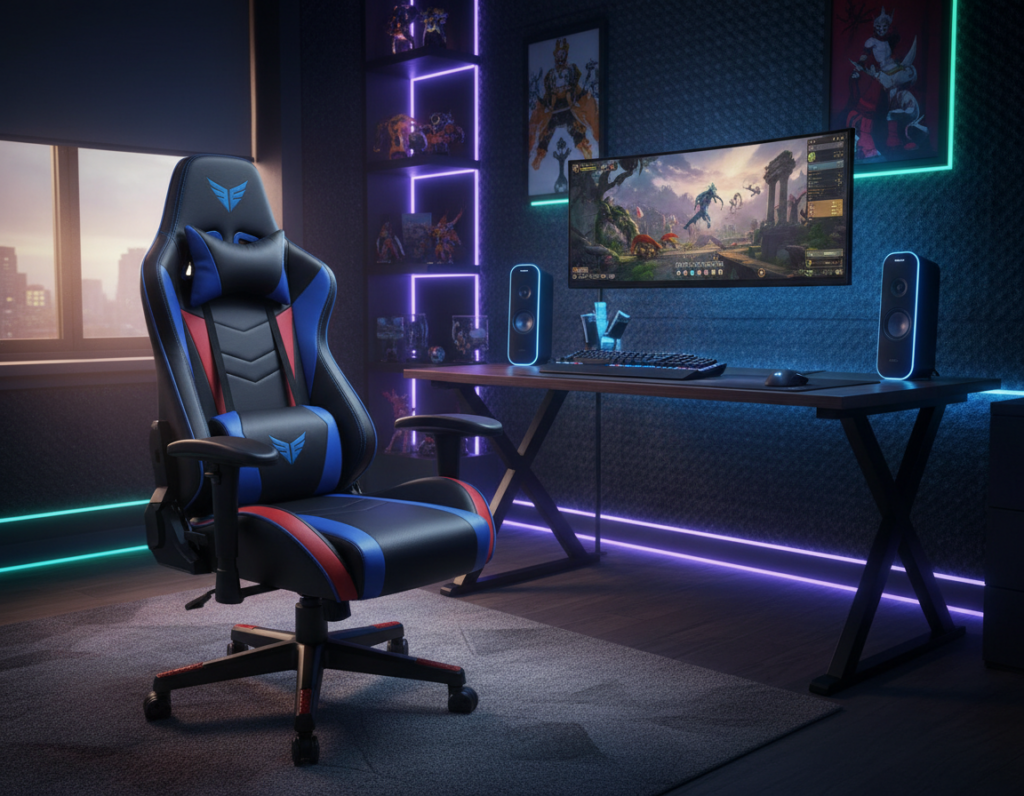
Personal touches go beyond layout. Adding RGB lighting and cable management accessories converts a plain office product into a striking home setup.
- Flexible choices: pick a stand style, finish, and accessories that fit habits.
- Smart routing: built-in pass-throughs tame every cable and keep the area tidy.
- Ergonomic add-ons: keyboard trays and mouse platforms place tools exactly where they are needed.
The price of a custom build is higher, but the value shows in daily efficiency and a setup that reflects personal taste. For many buyers, that trade-off makes the product worth the investment.
Balancing Price and Build Quality
Smart spending on build materials pays off when a workstation must hold heavy equipment day after day. A practical approach weighs the initial price against how long the product will protect valuable gear in a home office.
What to look for in materials
A top that uses quality wood or reinforced composites resists wear and keeps the desktop stable. That solidity reduces the need to replace the surface after a short time.
Indicators of lasting value include solid frames, good cable management, and a sturdy keyboard tray. These features show the manufacturer designed the unit to perform under real use.
- Protects gear: a premium model keeps a mouse and peripherals secure.
- Less upkeep: better materials mean less repair and lower long-term price.
- Peace of mind: investing once saves money over months and years.
“Choosing quality over a low initial price pays back in fewer replacements and more reliable performance.”
Essential Accessories for Your Minimalist Station
Well-chosen peripherals turn a clean workspace into a high-performance station without crowding the surface.
A compact keyboard shelf and a quality mouse pad free prime surface area and improve comfort during long sessions. A low-profile stand or a tidy headphone hook keeps headsets accessible yet out of the way.
Adding subtle RGB lighting and a few curated accessories raises usability without breaking the room’s simple look. The Evodesk partnership with Harman Kardon delivers an integrated sound system that adds rich audio without extra clutter.
A dedicated storage shelf is a sensible product choice to house controllers, drives, and small peripherals. Good cable management uses clips and under-surface trays so power and data cable stay hidden and safe.
- Keyboard shelf — saves tabletop space.
- Storage shelf — keeps gear organized.
- Cable management — maintains the clean aesthetic.
- Sound and lighting — premium audio and subtle RGB polish the setup.
Price for these items is typically a small fraction of the overall setup, yet they greatly improve daily use and long-term enjoyment.
Future-Proofing Your Gaming Workspace
Choosing a future-ready workstation means picking a surface that adapts as hardware and preferences change.
Pick an adjustable standing desk with a wide height range and a high weight rating. That combination lets users add larger monitors, a heavier PC tower, or an audio rig without stress. A steel frame or a quality wood top keeps the surface steady as upgrades arrive.
Modular options matter. Many modern products support extra shelves, RGB mounts, and cable management trays that attach later. Those choices let a station evolve over months and years instead of requiring a full replacement.
- Adjustable height: supports ergonomic shifts through the day and future screen changes.
- High weight capacity: handles added monitors and peripherals as the setup grows.
- Upgrade paths: modular attachments and clean cable management make improvements simple.
“Investing in a versatile stand now saves money and time when the next upgrade arrives.”
Conclusion
The right choice in furniture can protect equipment, improve posture, and make sessions more enjoyable.
Selecting a quality minimal gaming desk builds a stable, tidy station that lasts. Emphasize sturdy frame construction, smart cable management, and clear ergonomic features to support health and focus.
Whether someone picks a standing model or a fixed unit, the key is quality and the ability to customize the layout. Proper planning keeps two monitors aligned, accessories organized, and the surface ready for upgrades.
Investing in a well-made desk ensures the setup remains a functional, attractive part of the home for years to come. The result is a workspace that lets players focus on gameplay, not clutter or discomfort.