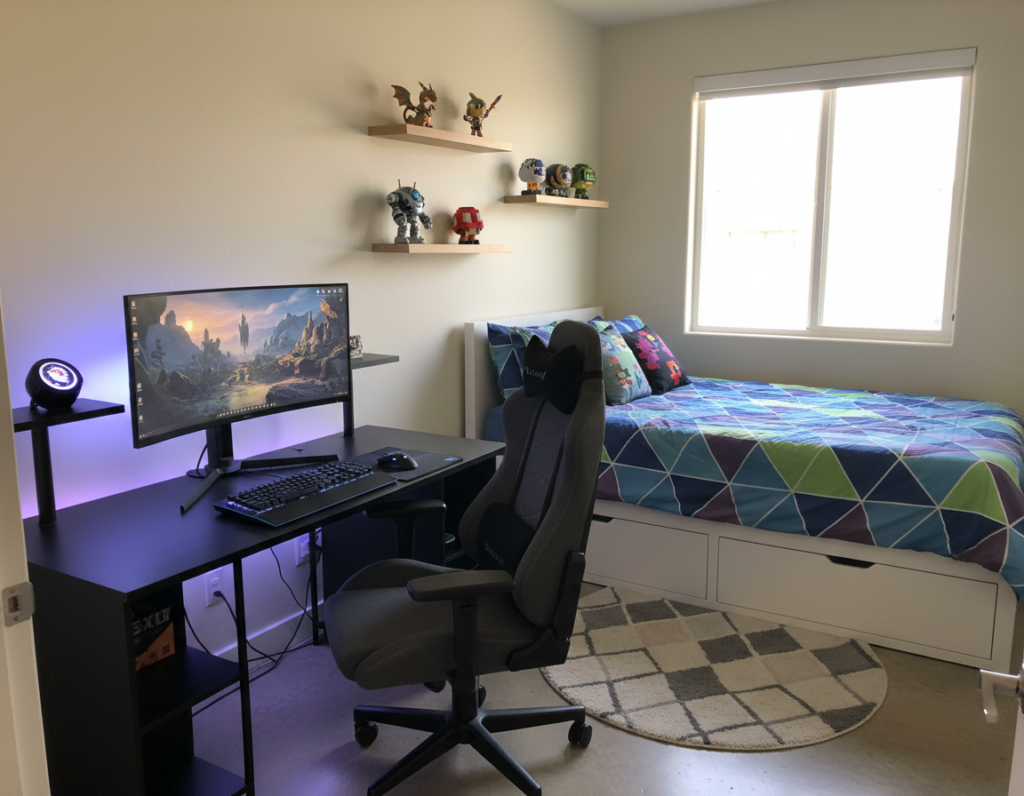
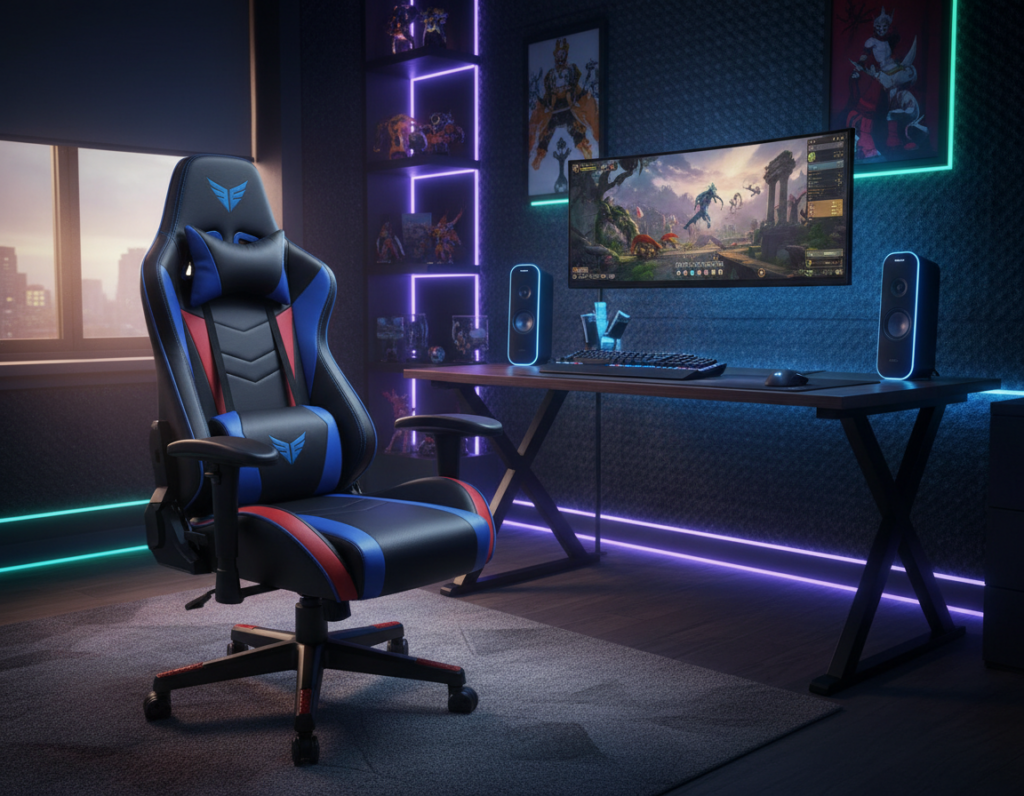
Long sessions at a desk demand more than style. Players who spend hours in play need support that protects the body through the full day. The right setup focuses on sustained comfort, spinal alignment, and easy reach to controls rather than decorative add-ons.
Investing in ergonomic gaming furniture helps prevent common strains and keeps posture stable during extended use. Professionals know that chair fit and desk pairing beat flashy lights when it comes to health and performance.
For readers who want a deeper look at how chair fit and desk alignment affect long sessions, see this comparison on proper chair design and real-world outcomes: ergonomic chair comparison.
The Foundation of a Professional Gaming Setup
A well-chosen chair sets the tone for every pro-level play session. The right gaming chair provides steady support for long matches and helps keep focus sharp. Players who prioritize the seat first avoid common aches later.
Unlike a standard office chair, a dedicated seat adapts to prolonged posture needs. It aligns to the body, offers targeted lumbar support, and keeps wrists and shoulders in a natural position.
- Fit matters: a chair should match the user’s frame for sustained comfort.
- Adjustability: tilt and height control make long sessions manageable.
- Durability: a solid base supports consistent performance.
When building a setup, the chosen chair shapes how a player feels every hour. A balanced combination of office-level design and play-focused features makes a seat the true foundation of a professional environment.
Why Ergonomic Gaming Furniture Matters More Than Extra Accessories in Daily Gaming
Style can be eye-catching, but long play sessions demand a seat built for lasting comfort and health. A proper chair supports posture, reduces fatigue, and helps sustain focus during long matches.
The Limitations of Decorative Accessories
Accessories from top brands like Logitech add precision and flair to a setup. They do not, however, replace fundamental back support.
Decorative items improve looks but offer no lasting comfort. Without a chair that offers steady lumbar support, players face strain no accessory can fix.
Prioritizing Physical Well-being
Choose a seat with integrated lumbar support and reliable adjustability. This keeps the spine aligned and eases pressure on shoulders and hips.
- Support beats style: consistent lumbar support reduces pain and improves focus.
- Invest in a good chair: it protects posture over months and years.
- Accessories complement, not substitute: mice and headsets enhance play but do not aid spinal health.
Understanding the Impact of Spinal Alignment
A steady spinal line is the single best defense against the aches that come with long hours at a desk. Proper spinal alignment prevents the chronic pain often tied to poor posture. It also spreads load evenly so muscles do not tire quickly.
Maintaining a neutral spine while gaming ensures muscles stay relaxed and perform efficiently. When the neck, upper back, and pelvis line up, shoulders and wrists avoid compensating strain.
When a setup is configured correctly, the spine rests in a healthy position. This lowers the chance of long-term musculoskeletal problems and supports steady focus during long sessions.
- Prevents chronic pain: alignment reduces recurring aches.
- Preserves energy: a neutral spine stops muscles from overworking.
- Supports longevity: consistent posture care protects health for years.
Achieving this alignment requires a chair that follows the natural curve of the back and offers firm lumbar support. Regular posture checks during play will make a measurable difference in comfort and long-term wellbeing.
Key Features to Look for in a Gaming Chair
A top seat blends precise adjustability with breathable materials to keep players focused. Choosing the right model starts with features that protect posture and reduce fatigue during long sessions.
Adjustable tilt mechanisms let the user shift weight and lock positions. This support helps the lower back stay aligned and makes it easy to change posture between matches.
Adjustable Tilt Mechanisms
Look for multi-angle recline and a tension control that matches body weight. These controls help maintain comfort and reduce strain over hours of play.
Breathable Fabric Options
Materials that wick moisture and allow airflow keep skin cool. Breathable covers improve comfort during intense or extended sessions.
Padded Armrests
Padded armrests support shoulders and wrists. They reduce tension and protect against repetitive strain.
- Prioritize lumbar support: choose models with firm, adjustable lumbar pads for long-term spine health.
- Evaluate each chair: confirm tilt, fabric, and armrest quality before buying.
- Compare options: read guides like what makes a good gaming chair to refine your choice.
The Role of Lumbar Support in Long Sessions
A chair that supports the lower back can be the difference between steady focus and recurring pain after long hours.
Herman Miller designs award-winning gaming chairs that prioritize lumbar support to keep players comfortable during extended play. These chairs add targeted lower-back contouring and responsive adjustments so the spine stays aligned while posture shifts.
The lumbar support found in a high-quality gaming chair is essential for maintaining proper posture through daily sessions. It reduces pressure on the lower spine and helps muscles avoid fatigue across consecutive hours.
Key benefits:
- Consistent lower-back support preserves energy and boosts long-term comfort.
- Responsive adjustment features let the chair adapt to different positions instantly.
- Investing in a chair with solid lumbar design protects health and sustains performance.
Without adequate lumbar support, even the best accessories cannot prevent strain. Choosing chairs that focus on lower-back care is the most effective way to protect posture during long sessions.
Comparing Static Chairs to Ergonomic Gaming Chairs
Not all chairs are built for marathon play; some are designed for short tasks, not hours at a desk.
Standard office chairs often prioritize a clean look and basic adjustability. They may lack the targeted lumbar contouring and range of motion that long sessions demand.
Why Standard Office Chairs Fall Short
A static office seat can feel fine during a meeting. During multi-hour play, users often report lower comfort and faster fatigue.
“A chair that can’t adapt to posture changes will let support fail right when it’s needed most.”
- Limited lumbar support: many office chairs do not offer firm, adjustable lower-back care.
- Fewer adjustments: tilt and tension controls are often basic or absent, reducing comfort over time.
- Drop in comfort: users notice soreness after a few hours if the chair stays static.
- Purpose-built upgrade: an ergonomic gaming chair is engineered to provide better support and sustained comfort.
In short, choosing a chair designed for long sessions ensures the body gets the right support. That upgrade matters more than looks or brand decals when comfort and performance are the goals.
Selecting the Right Desk for Your Equipment
Choosing the right desk begins with space: a wide, stable surface keeps equipment secure and posture steady.
The Motia Sit-to-Stand Gaming Desk gives a large work area with a 62.5” width and a 69.2” depth. This size fits multiple monitors, audio gear, and heavy peripherals without crowding.
Sturdy construction provides essential support for monitors and mounts. A rigid frame prevents wobble when typing or adjusting screens.
- The 62.5” width offers room for dual setups and accessories.
- Deep surfaces let forearms rest naturally for better wrist position.
- Choosing a desk that matches gear needs keeps the space organized and stable.
Always measure available room before buying. Confirm clearance for chairs, cable runs, and movement so the setup feels balanced.
When selecting a desk, keep both size and structural support in mind to create an efficient, comfortable area for daily gaming.
Managing Cables and Workspace Clutter
Tidy cable routing transforms a chaotic setup into a distraction-free workspace. Clear cable runs and smart storage reduce accidental disconnects and keep attention on play.
Cable Management Solutions
Use cable channels, Velcro straps, and under-desk trays to guide power and data lines out of sight. Many modern desks include built-in feeds and grommets that make routing simple without extra external items.
Labeling each cord at both ends speeds troubleshooting and prevents unplug mistakes during intense sessions. A neat cable path also improves airflow and eases cleaning.
Utilizing Storage Components
Drawers, cabinets, and a small parts bin help hide away controllers, spare adapters, and other accessories when not in use.
Keeping spare items off the desktop preserves space for monitors and peripherals. A clean surface supports concentration and creates a more professional environment for daily gaming.
- Route cables along fixed paths to avoid tangles.
- Use built-in desk organizers when available to reduce extra gear.
- Store seldom-used items in drawers to keep the main area clear and focused.
The Importance of Adjustable Monitor Positioning
Small changes to monitor height and tilt can cut strain and boost session comfort.
The Ollin Monitor Arm holds up to 20 pounds and gives precise control over screen placement. It lets players set the monitor so their eyes sit level with the center of the display.
Correct monitor positioning reduces neck and eye strain. This kind of support matters in any long gaming session.
Adjustable arms also let users shift viewing angle for different tasks. One angle works for fast-paced play; another helps during streams or chat breaks.
- Precision control: adjust height and tilt to prevent neck strain.
- Eye-level alignment: keeps the center of the screen at natural sightline.
- Reduced physical stress: proper placement protects posture over time.
- Flexible viewing: swap angles quickly for comfort across tasks.
- Worthwhile investment: quality monitor support complements a good chair.
Choosing a durable arm like the Ollin is a practical step toward a healthier setup. It provides repeatable, stable adjustments so players maintain focus and comfort all session long.
Balancing Aesthetics with Functional Design
A striking setup can still serve the body when each component is chosen for purpose.
Balance comes from picking elements that look great and work hard. Color-coordinated lighting and clean lines create a modern room. At the same time, every selection should support long sessions and clear sightlines.
Visual accents such as LED strips or a themed palette add personality without adding distractions. When paired with high-performance features, they create a space that feels both professional and personal.
- Choose accents that enhance comfort, not hide poor design.
- Match colors and lighting to improve mood and focus.
- Prioritize components that offer function alongside form.
- Keep cable runs tidy to preserve the clean aesthetic.
- Let performance-driven choices guide decorative picks.
Final note: a well-designed room proves style and comfort can coexist. They boost focus and enjoyment without forcing a compromise between looks and long-term use.
Evaluating Weight Capacity and Build Quality
A chair’s rated weight limit says a lot about how it will hold up over time. Buyers should check the weight capacity before deciding. That simple step helps match the product to real use and prevents avoidable failures.
Checking Weight Limits for Durability
Verify published limits: confirm the maximum load and read how the manufacturer tests that rating. A clear rating shows the brand stands behind the build.
- Practical benchmark: Eureka Ergonomic lists chairs that handle up to 300 lbs and currently has 24 products in stock, giving buyers strong, immediate options.
- Durable construction: solid frames and quality fasteners matter more than surface style when it comes to longevity.
- Material resilience: premium coverings and reinforced bases resist daily wear and heavy items placed on the seat.
Final check: confirm weight limits, read specs for support points, and pick a chair that matches both body and use. That approach ensures stability and long-term performance.
How Material Choices Affect Daily Comfort
The cover and padding of a chair can make hours at the desk feel effortless or exhausting.
Breathable fabrics keep skin cool and wick moisture. For long gaming sessions, this prevents the heat buildup that leather or vinyl often causes.
High-quality foam and layered padding offer steady support through the day. They resist early sagging and keep posture steady for long periods.
Compare this to many basic office chairs that use thin foam or low-grade covers. Those models show wear faster and reduce overall comfort during extended use.
- Choose breathable covers to avoid heat and distraction during long hours.
- Prioritize durable padding that holds shape and sustains comfort.
- Invest in good materials—they pay back in focus and fewer adjustments while gaming.
When selecting gaming chairs and a seat for daily play, material quality directly affects comfort and long-term value. Pick fabrics and fills that match how they will be used each day.
Investing in Long-Term Health and Performance
Long-term posture care pays dividends in both health and play performance. Choosing a high-quality gaming chair is a clear commitment to long-term well-being and better results during long sessions.
These seats offer advanced features that protect the spine and joints in ways a basic office chair cannot. Consistent lumbar support and adaptive design keep the lower back aligned and reduce repetitive stress.
When a player prioritizes health, they gain measurable benefits: fewer breaks for aches, steadier focus, and more productive hours at the desk. Good comfort and reliable support help sustain attention during tense matches.
Practical value:
- Reduced risk of chronic pain from poor seating.
- Improved endurance for longer gaming sessions.
- Features that preserve posture and joint health over years.
In short, a professional gaming chair is an investment in sustained comfort and performance. It pays off by preventing wear and keeping players ready for more hours of focused play.
Customizing Your Environment for Maximum Focus
Tailoring a play area to fit the body reduces distractions and helps the mind stay on task. Simple, personal tweaks ensure the space supports long sessions and peak performance.
Adjust desk height and chair position so forearms are level and feet rest flat. This reduces strain and preserves energy for the next match or the next day.
Set monitors at eye level and arrange input devices within easy reach. These changes let a player stay engaged for hours without frequent posture shifts.
- Personal comfort first: small adjustments yield big benefits in focus and stamina.
- Keep it tidy: an organized desk cuts visual noise and speeds task changes.
- Refine over time: test positions and lighting until the space feels natural and steady.
When a setup matches individual needs, comfort and concentration rise together. Players get more enjoyment and better results by investing a little time in customization.
Understanding Warranty and Support Benefits
Strong manufacturer support often separates a smart buy from a costly mistake. A clear warranty gives buyers peace of mind and a defined path when defects appear.
Before buying, review what the warranty covers, for how long, and who pays for repairs. Knowing exclusions and claim procedures saves time and frustration if parts fail or wear prematurely.
For a premium chair, the warranty often includes frame, mechanism, and foam coverage. Reliable support ensures replacement parts and service are available, which extends the life of the chair.
- Check duration: longer terms mean broader protection and less out-of-pocket cost.
- Confirm coverage: see if labor, shipping, or accidental damage are included.
- Access to support: responsive customer service speeds repairs and keeps downtime low.
Choosing a product with a strong warranty is a practical way to protect the investment in a chair and keep the setup fully supported for years.
Conclusion
Long hours reward choices that favor support over show. A focused gaming day begins with a seat and desk that protect posture and reduce strain.
Players should prioritize firm lumbar support and clear spinal alignment. A quality chair and a stable desk form the core of any professional gaming setup.
Comfort matters for both body and mind. Proper support cuts fatigue, helps sustain focus, and improves in-session performance.
Investing in the right gear now prevents chronic discomfort later and pays back in longer, more productive sessions. Build a space that blends style with purpose and the results will follow.